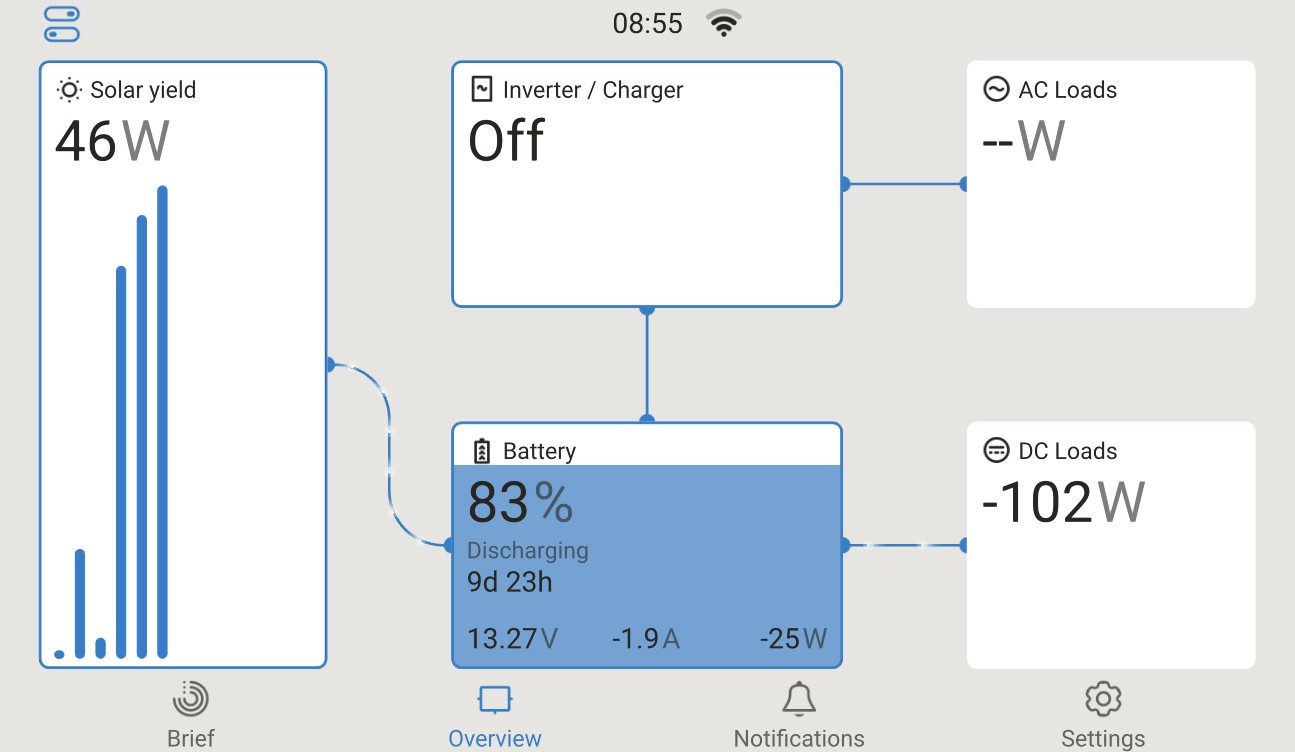
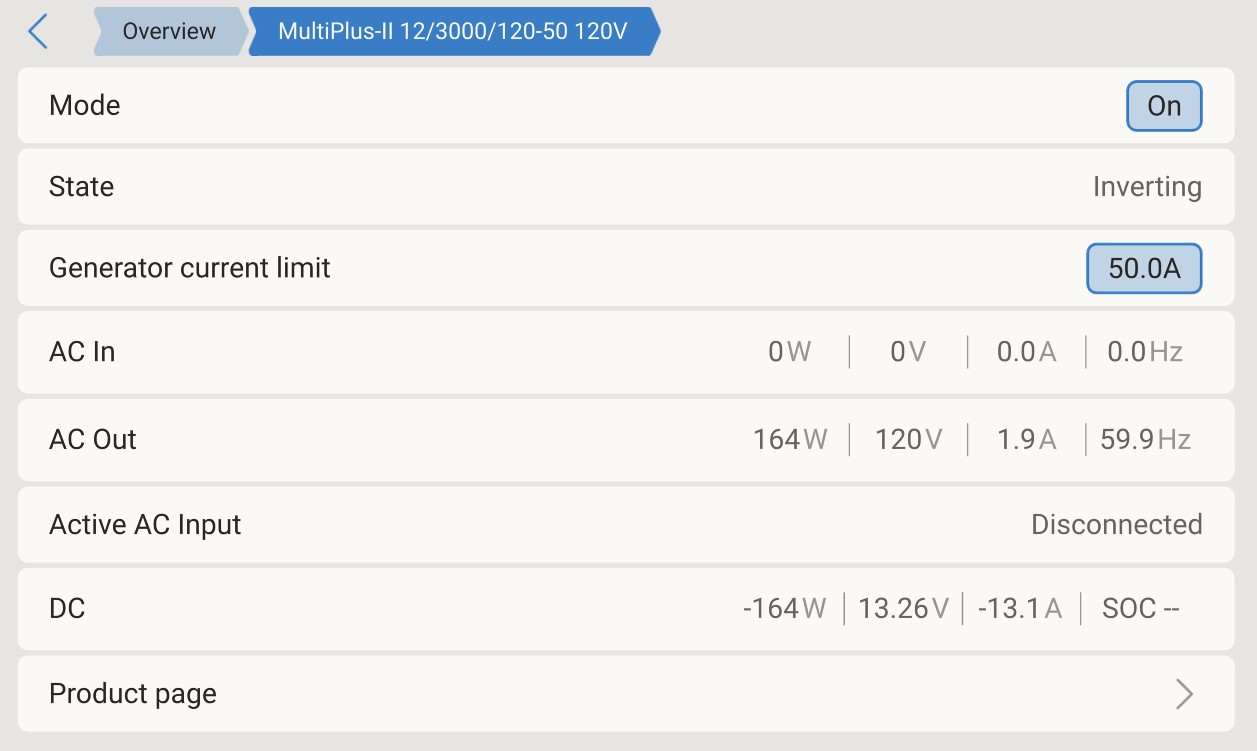
I have a Multiplus-II Inverter/Charger and the data and status does not appear on the GX overview display. I can double-click on the inverter and see the power status, AC output voltage and current, DC input voltage and current but it does not display these readings on the Overview display.
I’m using an Android tablet as my GX display. It also shows the same lack of the inverter data on the Overview screen using VRM Portal with my Android phone. The data is there since I can drill down into the GX display and see the data. It’s just not showing on the Overview page as I would expect.
Okay, thanks for posting your display. I guess I was expecting the data would show up within the Inverter / Charger box as it does for the battery.
I do think I still have an issue because on my display the Inverter / Charger box says Off and the AC Loads box doesn’t show the correct wattage.
Here is my display page and the Inverter / Charger page. It just seems like the Inverter / Charger data is not getting to the Overview page since the 2 boxes are misreporting the data.
Creo que el MultiPlus funciona bien. El problema es que no consigo que los datos del MultiPlus se muestren correctamente en la pantalla de resumen de la pantalla GX. Al hacer clic en el cuadro Inversor/Cargador en la pantalla de resumen, se abre la página de detalles (la segunda pantalla que publiqué arriba) del MultiPlus, donde puedo encenderlo y apagarlo, y ver el voltaje y las corrientes de CA y CC. Esto me indica que el MultiPlus se comunica con el sistema correctamente. Creo que tengo un enlace mal configurado, pero no lo encuentro por ningún lado. Gracias, Roger.
I think the MultiPlus works fine. The problem I have is I can’t get the data from the MultiPlus to display properly on the Overview screen of the GX display. When I click on the Inverter/Charger box on the Overview screen it brings up the details page (2nd screen I posted above) of the MultiPlus where I can turn it on and off the MultiPlus and I can see the AC and DC Voltage and Currents. That kind of tells me the MultiPlus is communicating with the system as expected. I’m thinking I have a misconfigured hook somewhere but I can’t seem to find it anywhere.
Do you have anything else connected to the other VE Bus port on the Multiplus like a mk3 to USB or Digital Multi Control. If so remove this and try a single connection Cerbo to Multiplus. You should not leave the mk3 connected.
Have you tried another VE Bus cable, a basic Cat 5 cable.
I am having the exact same issue.
My setup is 3x MultiPlus-II, if i connect them directly to the Cerbo GX, everything works fine. If i connect them via USB→MK3→MultiPlus-II, i can see the data when i click on the inverter, but it doesnt show up on the main screen. Also ESS doesnt work when using USB→MK3.
My reason for wanting to use the USB→MK3 route, is that for some reason, AC goes down with Error 10 (time sync issue), but only when the MultiPlus-II’s are directly connected to the Cerbo, not when its not connected, or when connected via the MK3
Cerbo firmware is 3.66, MultiPlus-II firmware is v558.
I just tried re-booting the Cerbo GX again. No Change.
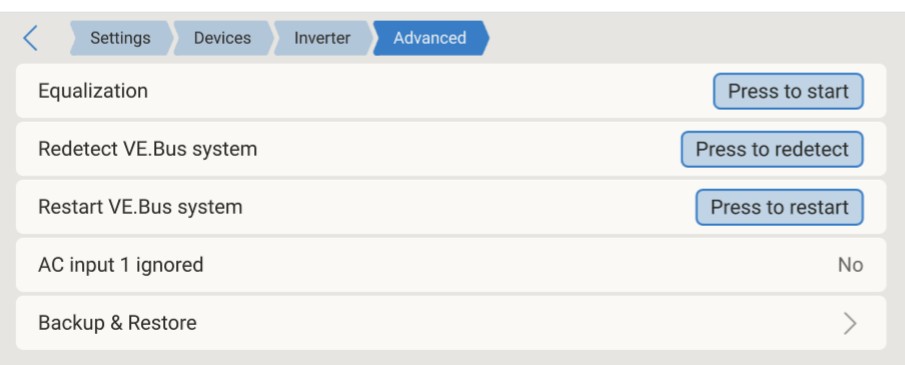
I also tried redetecting or restarting the Multiplus . No Change.
Yes, I have switched between the classic and the new UI.
I do have the mk3 to USB as the interface between the Cerbo and the MultiPlus. I thought that was required. I removed the mk3 to USB and connected the Cerbo directly to a VE.Bus port and ding-ding-ding the data shows up on the Cerbo display!
Thank you very much for your help in debugging this!
You can connect a Multiplus to a GX device through a mk3 to USB, bit any Multiplus connected like this is viewed as a secondary system. The primary system MUST be connected directly by VE Bus cable to the VE Bus port. If connected through a mk3 to USB the Multiplus may not take part in all system calcs/controls although recent firmware updates prior to 3.66 bring the secondary Multiplus under DVCC control.controls
@remcohn I do not know why you have an error with the direct connection, I do not know about 3 phase or parallel systems. I suggest you solve this error and connect your set up as the primary Multiplus with a direct VE Bus connection like it should be. Make a new post about your error and see if anyone can help.