Waiting for the reboot now, BTW what is the significance of . . .
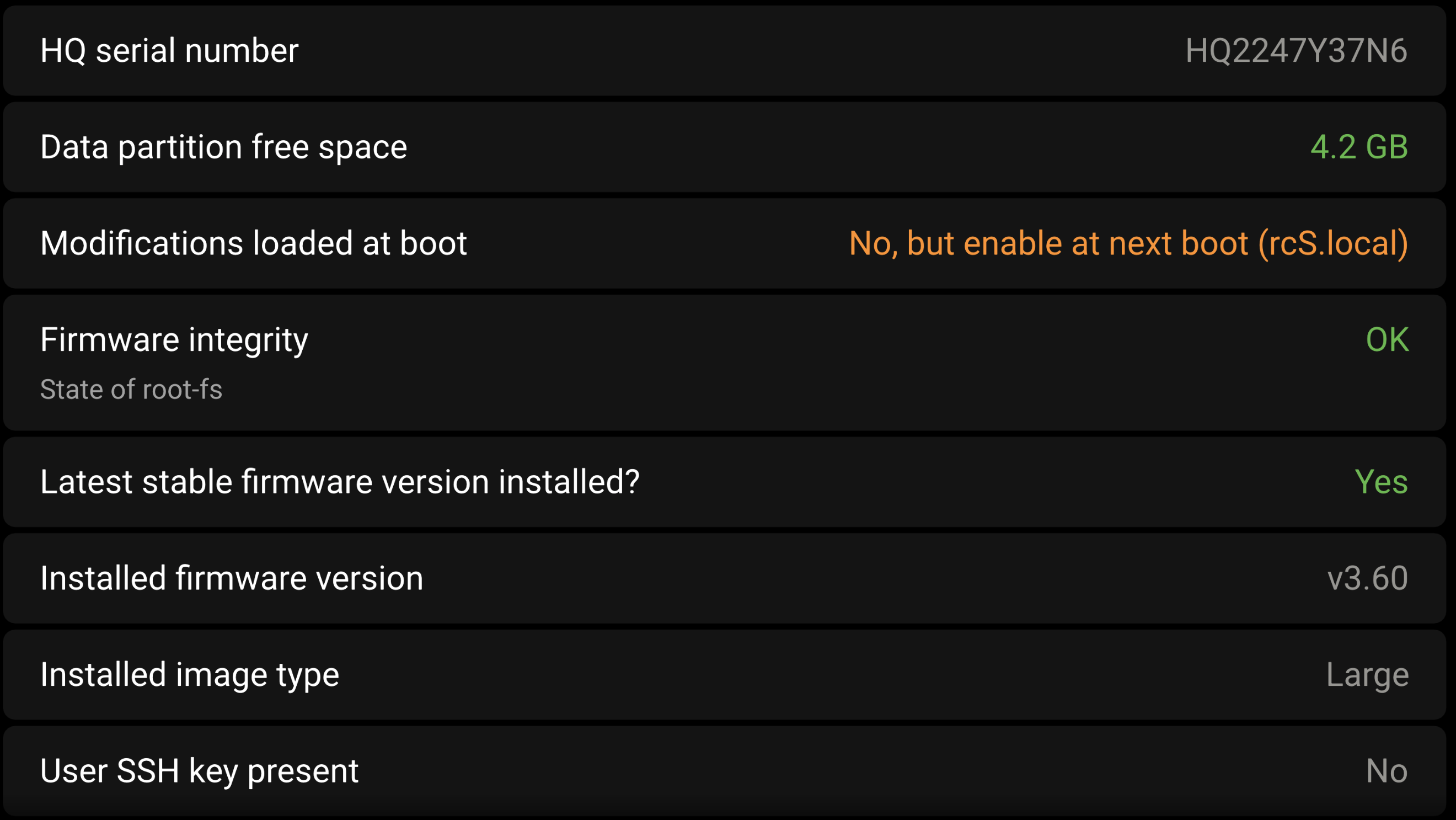
“No, but enabled at next reboot” ?
is this going to allow Node Red or also the previously removed errors?
Waiting for the reboot now, BTW what is the significance of . . .
“No, but enabled at next reboot” ?
is this going to allow Node Red or also the previously removed errors?
Not sure why it says that, see if it changes once you have rebooted. That should just say NO.
It is unrelated to nodered.
I did exactly what was written on the tin, he re-instated all errors 
I only wanted to turn “all modifications enabled” to run Node Red which was otherwise not active.
I’ll have to try the same sequence again and monitor more closely
Can you share your site ID? It is the numbers in the VRM URL between installation and dashboard.
Just to cycle back to this, on further inspection, setup helper was loaded and needed to be removed.
I’ve managed to perform a blinduninstall on the GuiMods I had installed.
The Installation files are all removed from the Cerbo GX, but in /data SetupHelper is still there.
Is there an easy way to uninstall SetupHelper? So I can get rid of the ’ Firmware integrity’ modified status?
Note: In need Node Red to stay active.
Well, one of the Victron technicians removed mine and Node-Red remained untouched, however, I still have the warning message about the software integrity even if slightly different.
I’m not sure I know what you mean by that last statement
in the meantime my site ID is the following:
338203
If I’m not mistaken, any files in the /data folder shouldn’t cause a ‘Firmware integrity’ warning.
Edit: that information could be wrong.
Node Red files are stored there as well and as long as you keep running the ‘Large’ image it’ll be virtually impossible to lose your Node Red data.
Taking a backup occasionally still is a good idea by the way 
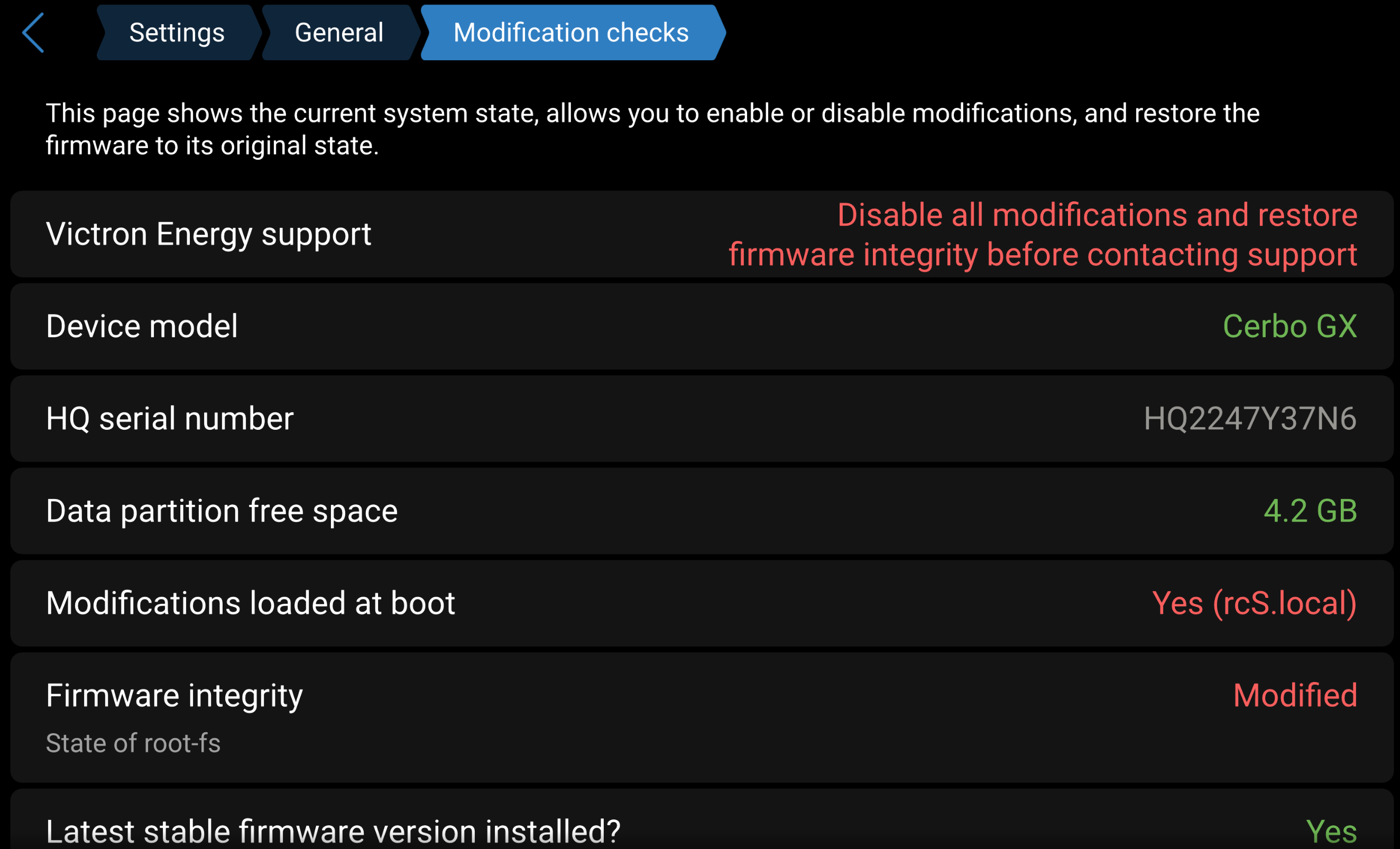
When I look at the screenshot of Mauro’s “Modifcation checks” page, it tells me a modification in rcS.local, which is likely used to start up modifications at boot.
In my unmodified GX I don’t have no such file.
If on your GX that file is listed as a modification, you can find it by running find / | grep rcS.local at the CLI prompt.
It should be safe to rm (delete) that file.
If you’re uncertain, you can mv (move) it to the /data/ folder.
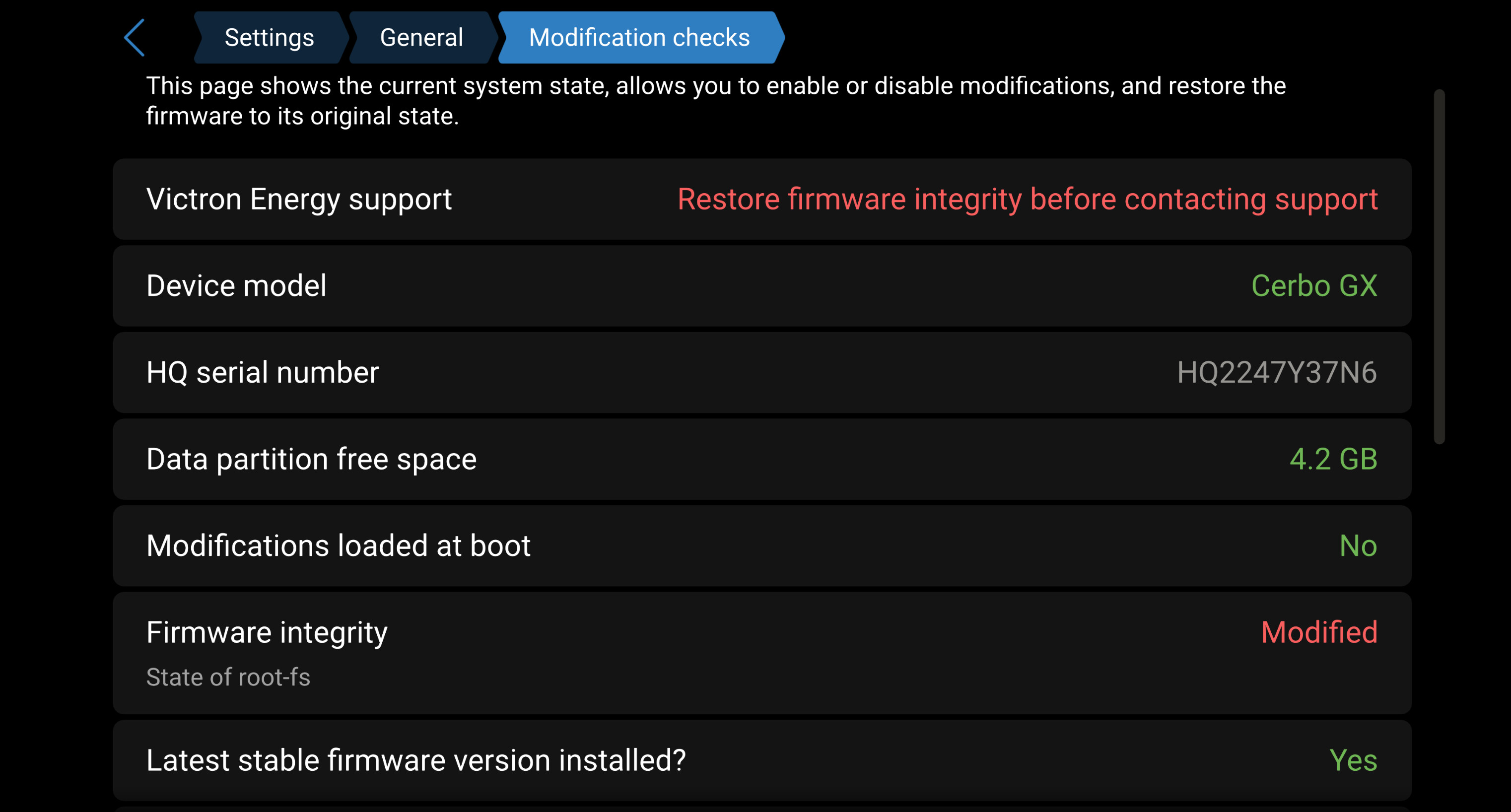
That is correct, the message did show “rcS.local” before setup helper was removed, however, this is how it appears after:
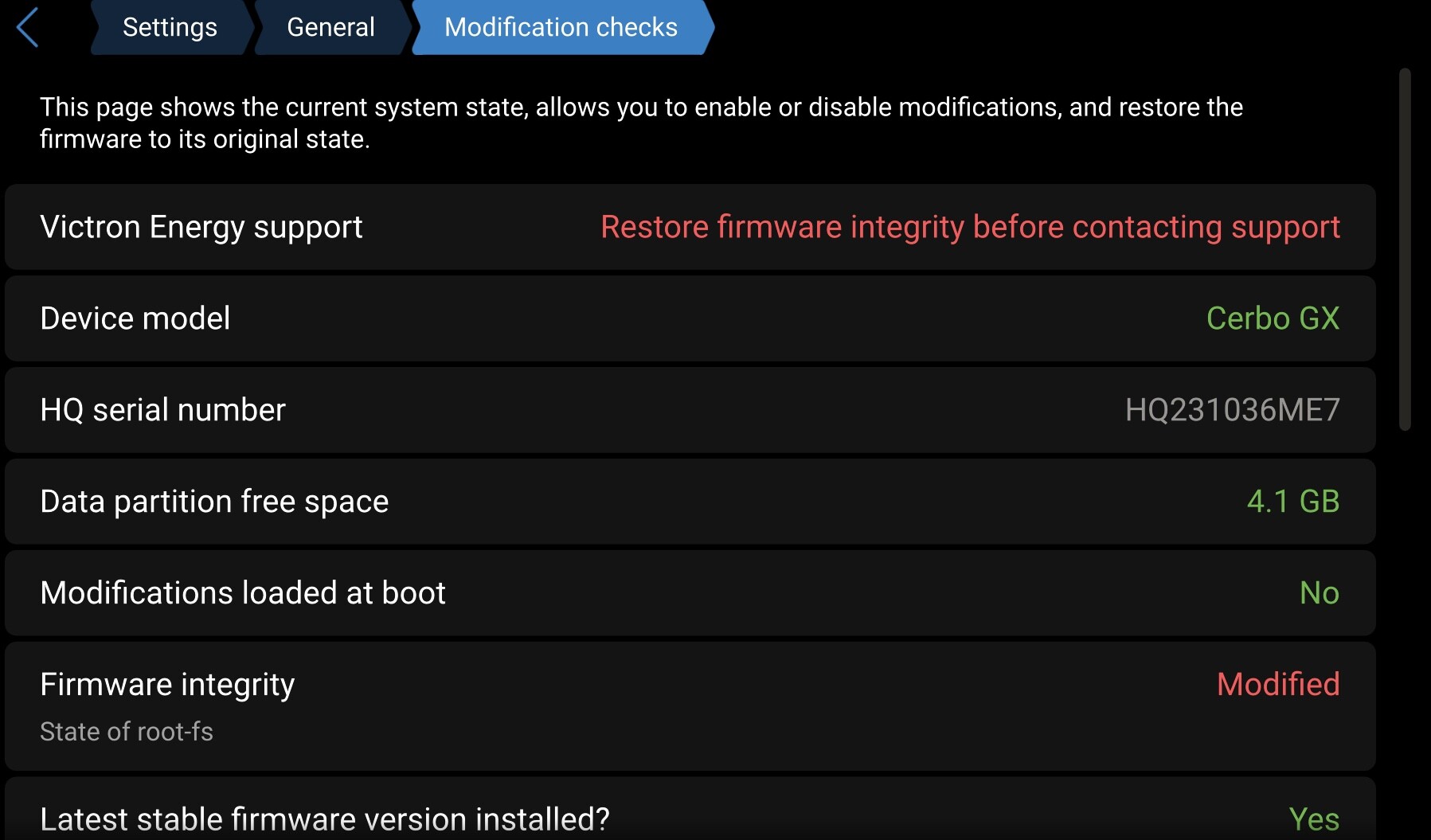
That’s a strange one indeed and on another Cerbo I have the same message, which is strange because that Cerbo was updated to v3.60 not that long ago - so it shouldn’t have any modifications.
Then again, who knows what I’ve done to it already…
A bit further down the “Modification checks” page should be a button Reinstall latest stable firmware, that should fix the “Modified” status.
If it doesn’t, rebooting to previous version v3.55 and then upgrading to v3.60 again removed the ‘Modified’ status for me, you could also try doing that.
I’ve only done it going back to the same version (3.60) so I should try that although I’m not sure I remember or even know where to find the option fo the earlier v3.55, I think I have seen it at some point but do not remember where.
Under >Settings >General >Firmware there’s the ‘Stored backup firmware’ option.
For me that has the option to reboot to v3.55, as that was the version I was running before upgrading to v3.60.
However, if you reinstalled v3.60 while running v3.60, you might not have that option.
In that case the ‘update’ to v3.55 needs to be done from a USB stick containing the proper v3.55.swu file you can find in the Victron updates repository.
The v3.55 update file for a Cerbo GX running the Large image is here.
Small note: if you update (or actually downgrade) from v3.60 to v3.55 you can’t use the “Stored backup firmware” option to boot back in to your previous v3.60 - you need to actually update to v3.60 again.
Thanks for the quick feedback.
No warnings anymore after:
Hey all, here is a summary plus some further clarifications. I’ll tag it as the solution.
The original issue of not having Node-RED anymore was because (apparently) the Update to setting was set to Normal rather than Large. So as a result the GX was updated to the normal image rather than the large one.
Not that that doesn’t / didn’t delete any flows or user installed extra node palettes. Updating firmware, downgrading firmware, or changing from large to normal and back does not, should not and will not delete those.
More in depth: that data, as well as normal GX user settings, is on the data partition, and that is not touched as part of a firmware update or change.
The solution for the missing NodeRED was toset Settings → Firmware → Online updates → Update to to large and then click update.
——
The new Modifications loaded at boot indicator shows up in red (showing Yes). Why?
Because someone installed a “persistent mod” on your system. Ie. a mod on the datapartition, which survives firmware updates.
More in depth: one or both of the available “hook” scripts (rc.local and rcS.local) were installed on the data partition. These hooks are scripts that will be executed at boot, also after updating to a clean new firmware version. Mods, like setuphelper, typically do that to make sure to stay installed even when user updates Venus OS to a new version. More info here.
The new menu allows to disable execution of those files.
——
What does it mean when firmware integrity shows up as modified?
It means that the normally read-only Venus OS installation was modified. By some Mod. Or by you the user yourself,
——
Some more replies:
Read public - Venus OS v3.60 Release - Google Slides
It works slightly different: it installs the type (Normal or Large) as selected in the mentioned menu.
—-
To be complete, also run:
rm /data/rc.local /data/rcS.local
And, instead of first downgrading using a USB stick and then upgrading again, use the Press to install button in that same Modification checks menu.
Sadly this morning I saw that the Firmware integrity check error is back:
State of root-fs Modified
In /data of my Cerbo GX there is still a directory GuiMods.
Is this directory used by venus os?
Make sure there is no /data/rc.local and no /data/rcS.local and then reboot and then re-install the firmware and then reboot again.
If it then still says modified, let me know and an engineer will login to see whats happening.
There are no rc.local files in /data .
I just have re-installed the firmware and executed the extra reboot after re-installation.
For now the “Modification check” says “Unmodified”, so that looks okay.
Maybe it’s the additional reboot that does the trick.
I will check the status again tonight and tomorrow.
Update:
I just enabled the “Modification check” because I’m using Node Red on the Cerbo GX as well.
So I’ve to wait and see if the systems stays ‘Unmodified’.
Update:
I just changed the root-password via de GUI and the “Modification check” says: “Modified”
So this status seems to be caused by changing the password of the root-user.
I expect that changing the root password is a legal action and should not lead to a “Modified” status.
Hey, nice find!
Indeed - setting a root password remounts the normally read only file system, and modifies it.
That is how it is - and is not trivial to make better.
Its going to stay like this. I’ll make sure that it gets documented
Ps. To get yourself ssh access without this happening, install an ssh key. See root access documentation.