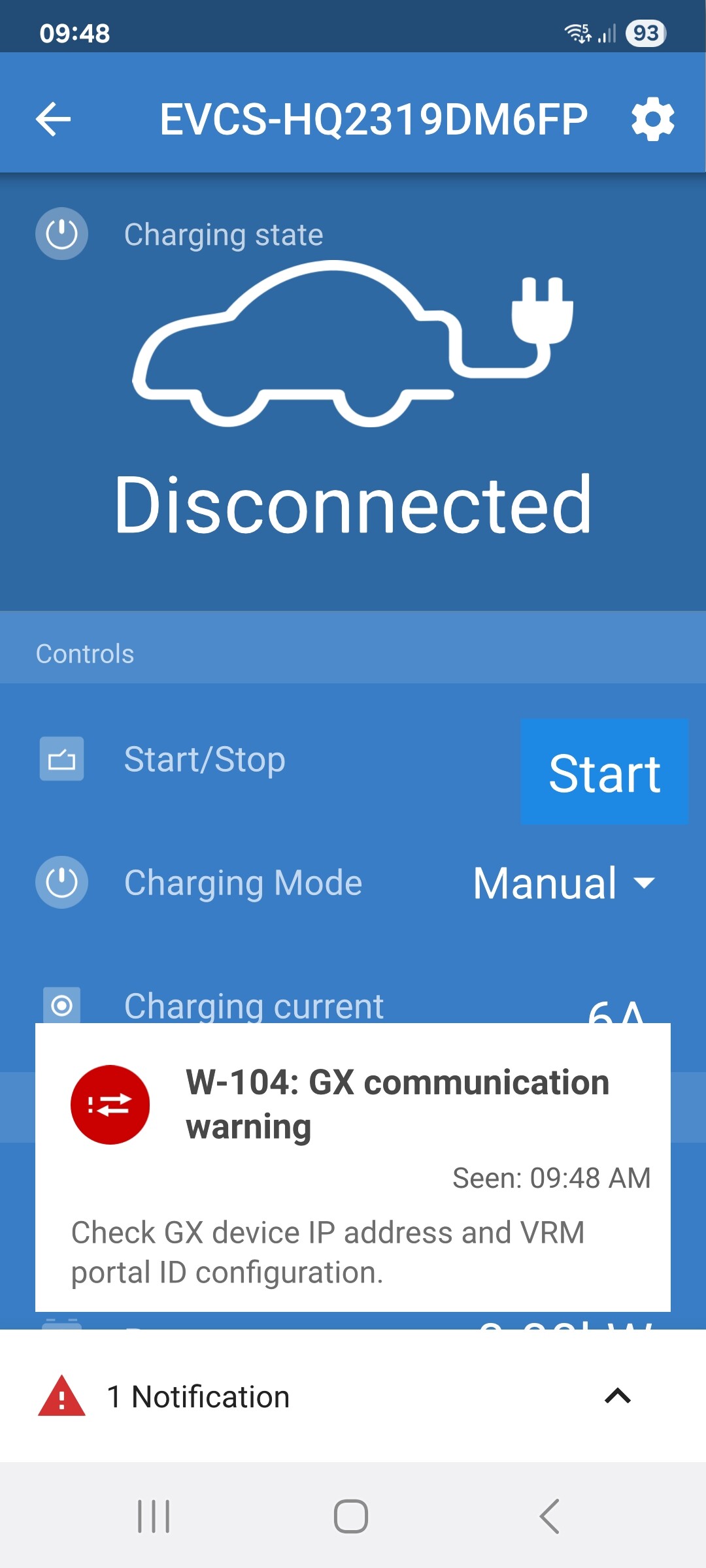
W-104: GXcommunication warning
W-104: GXcommunication warning
Good morning ladies and gentlemen
I have an issue with my EV no screen charger not connecting to cerbo gx device
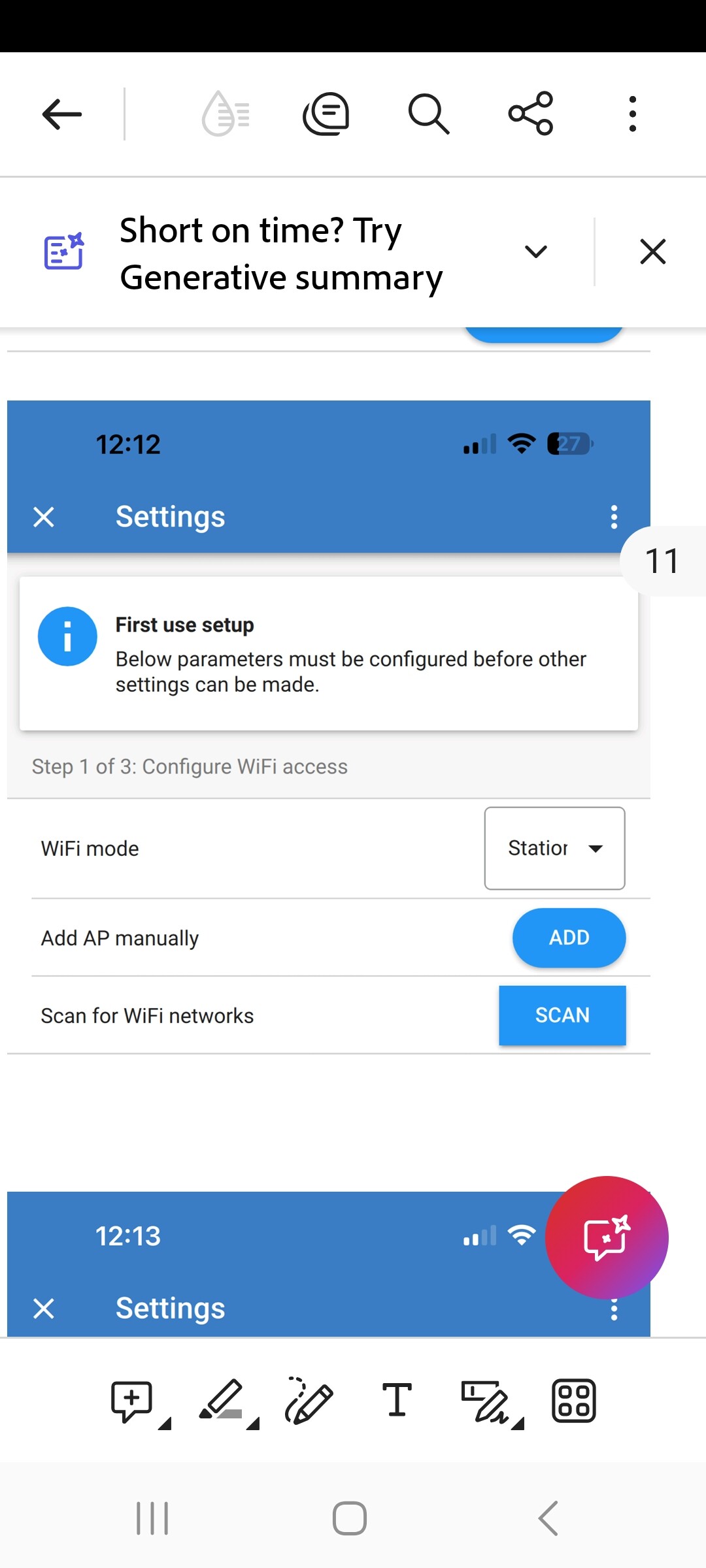
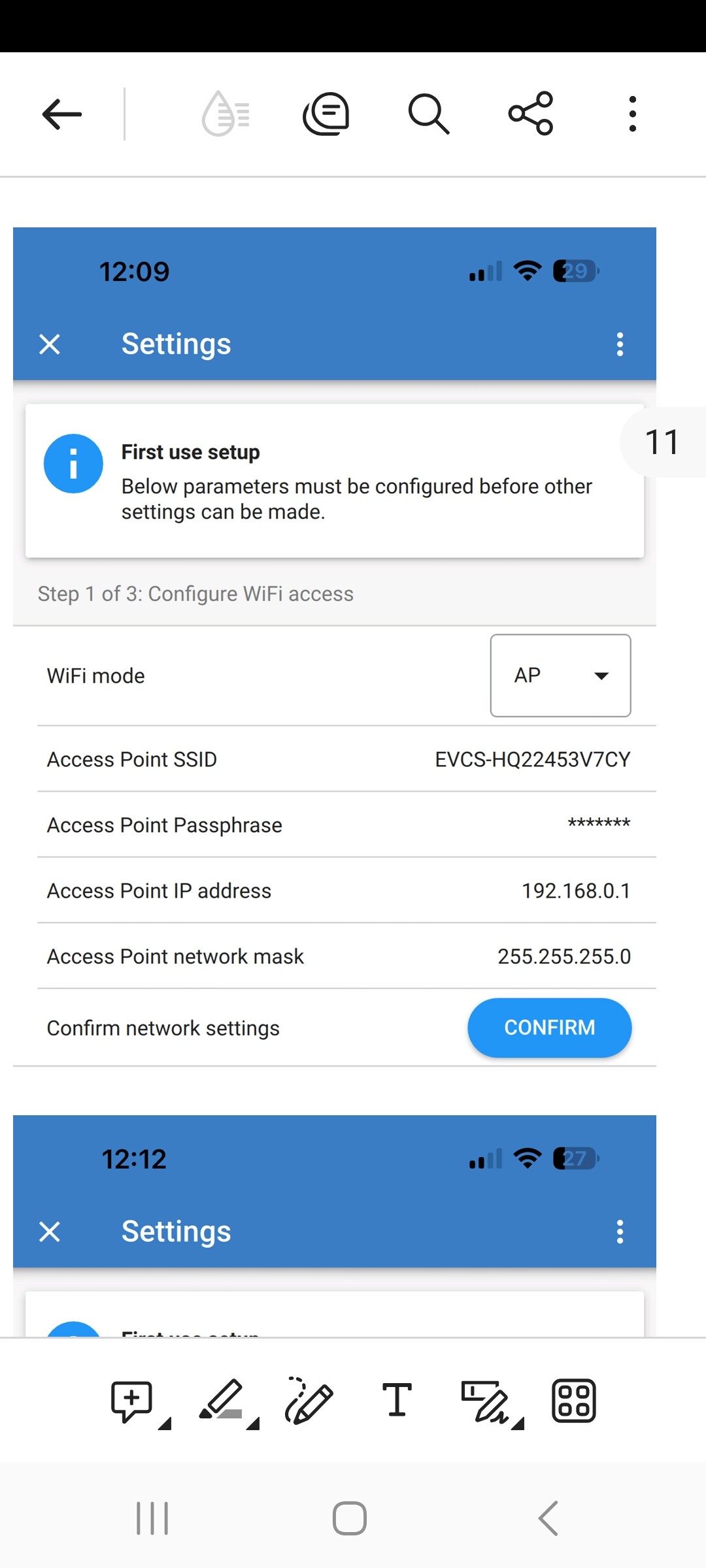
Is the ev ns connect to my wifi or is it supposed to connect to the cerbo gx directly
The pdf instructions are a little vague
Does the programing need to be AP or STATION
Also where it states “Check GX device IP address and VRM portal lD configuration” (is the gx device the ev charger)
Please see pics
Cerbo GX and EVCS are connected to the same LAN using fixed IP adresses.
Cerbo sees EVCS and vice versa.
after charging the EV for a few hours, EVCS loses connection to Cerbo with warning “W-104”.
since it’s not getting live data from the GX anymore, EVCS stops charging and enters state “waiting for sun” although PV is producing more than enough power.
same happens over night while EVCS waits for sunrise.
When I reset the EVCS via bluetooth app or by pulling the circuit breaker for a minute, it works again afterwards for a few hours, then reports W-104 again.
this can’t be a WiFi AP problem since many WiFi clients (ranging from old to new smartphones, laptops, tablets and even Shellys) are connected to AP uninterrupted for months.
I suspect this to be a bug in the EVCS firmware. any ideas on how to fix this? It’s very annoying.
Update the cerbo. Current formware is 3.73(and the rest of the system)
It is usually a good first step in troubleshooting.
Alternatively just check for interference. I have found some houses have ‘dead’ spots for WiFi. One space i had ear marked had a binch of electrical conduit running down the wall and that messed with the connection.
unfortunately, the update didn’t solve the problem.
I connected the BEV in the evening with the intend to start charging at sunrise, but until now (6h30m later) it lost connection twice.
was able to reboot the EVCS via bluetooth / app though. EVCS is mounted on two aluminum bars on the exterior wall, but AP is only a few meters away in the room behind it. WiFi signal strenght = -54db, whatever that means.
what I also don’t understand:
EVCS mode = auto
PV battery SoC (80%) is below configured minimum (85%)
Cerbo / EVCS / Setup / start automatically = ON
at 02:30 in the morning, PV production is zero.
as of my understanding, EVCS mode should now be “waiting for sunrise” (as it was before the last reboot), but now it is “low SoC”.
sometimes it is in the proper mode (waiting for sunrise), sometimes it isn’t, only once it actually started charging at sunrise (obviously because it still hat WiFi connection to Cerbo).