I purchased a Victron EVCS NS and installed it to mij WiFi. So far so good. I cannot connect it to my existing Cerbo GX. Same wifi, latest sw versions, modbus on. All boxes are ticked imo. Cannot find a GX device in settings. Received a w-104 warning, but Cerbo IP and VRM ID are correct. Any advise is welcome, because I am out of options.
Hello @Heidehaas .
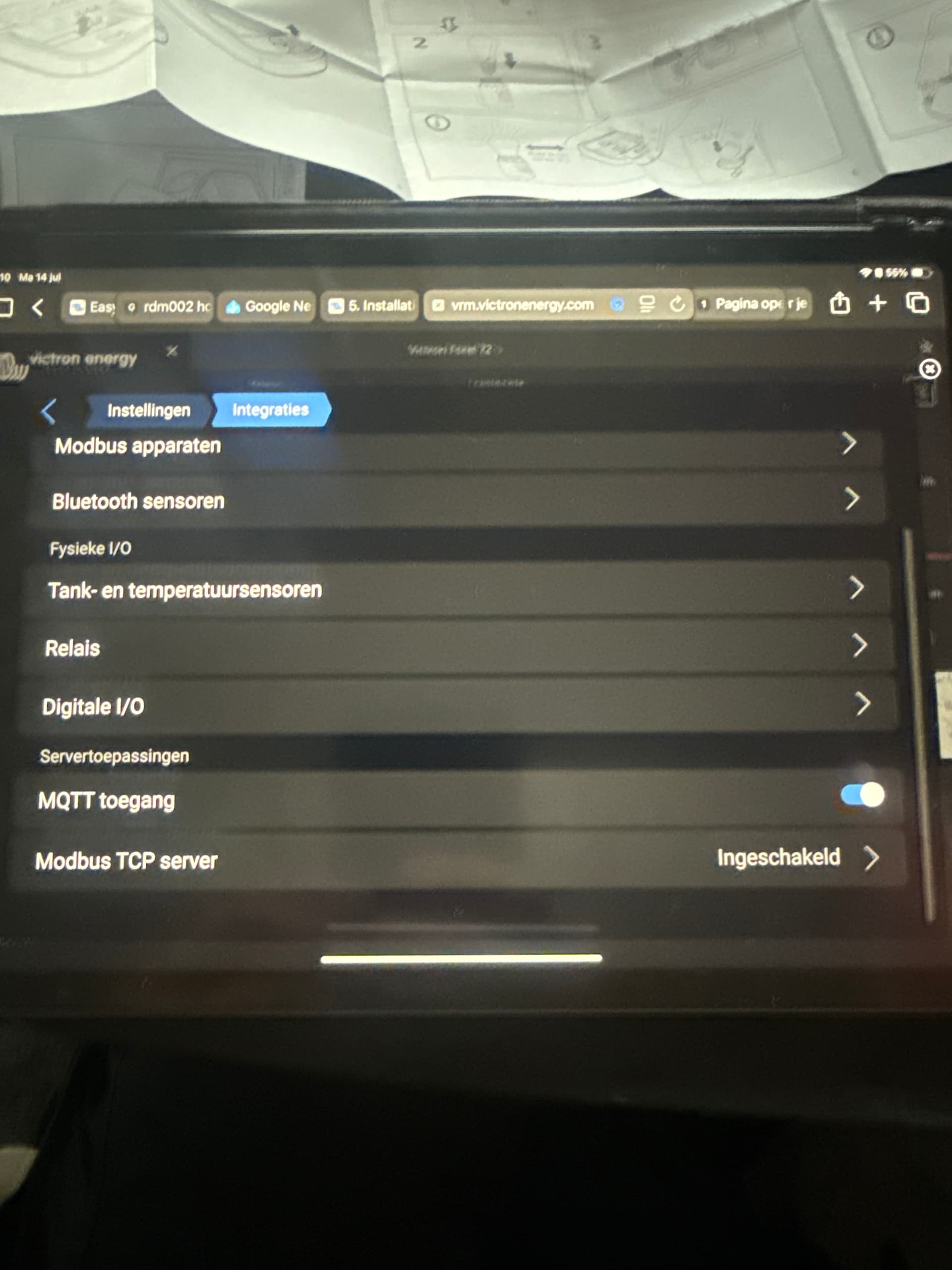
Can you check if ModbusTCP activated on the Cerbo side.
Settings->Integrations->Modbus TCP Server in the new interface or
Settings->Services->Modbus TCP in the Clasic UI.
Could you please do the following:
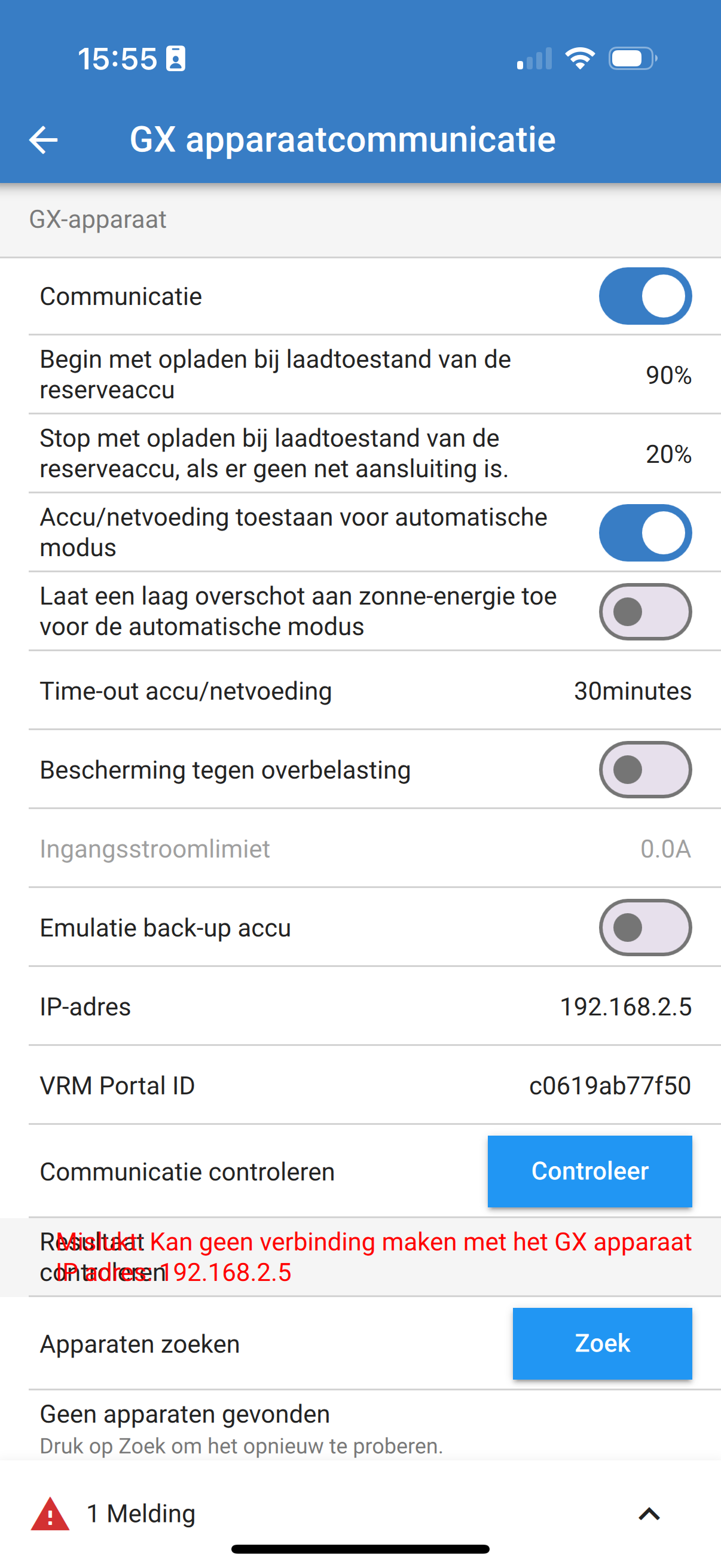
- Provide a screenshot of EVCS General → GX device settings.
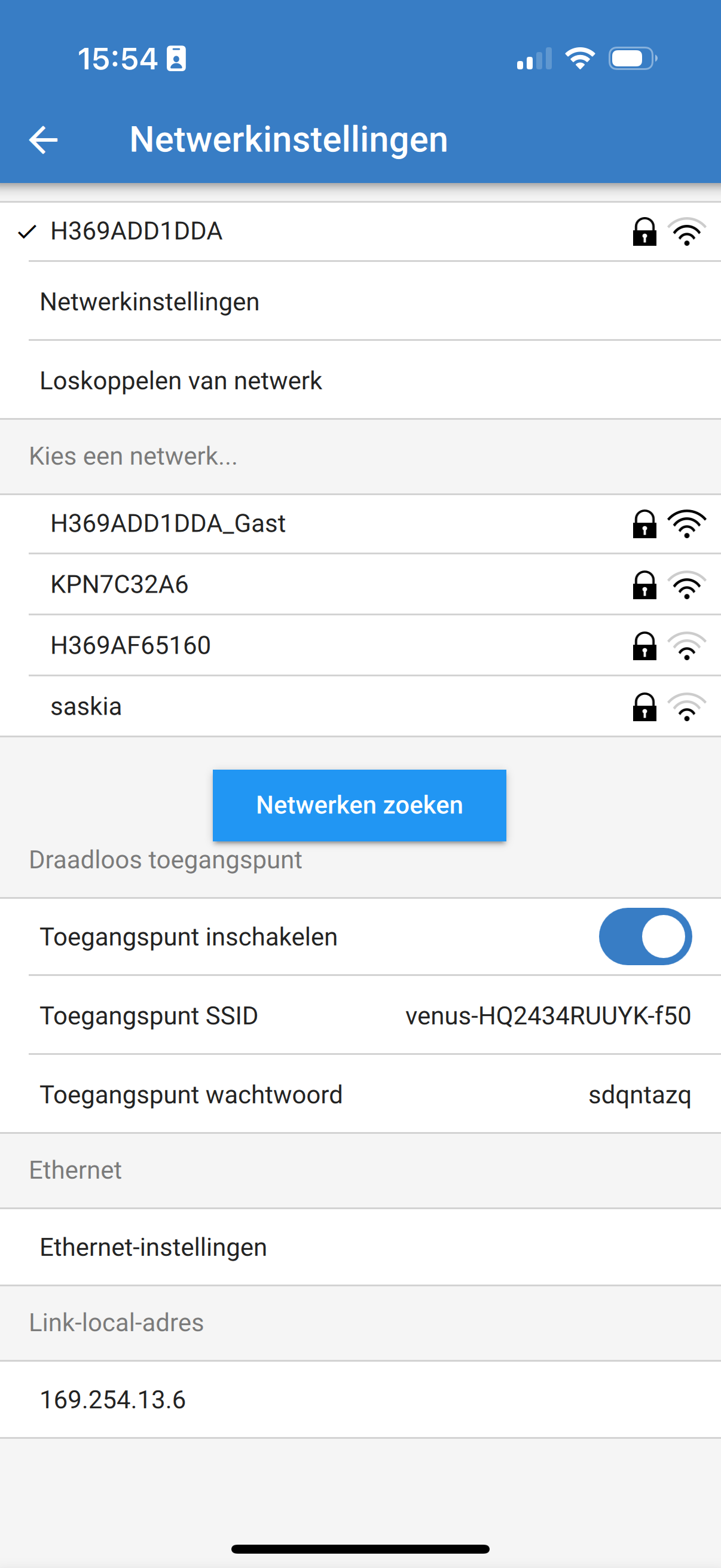
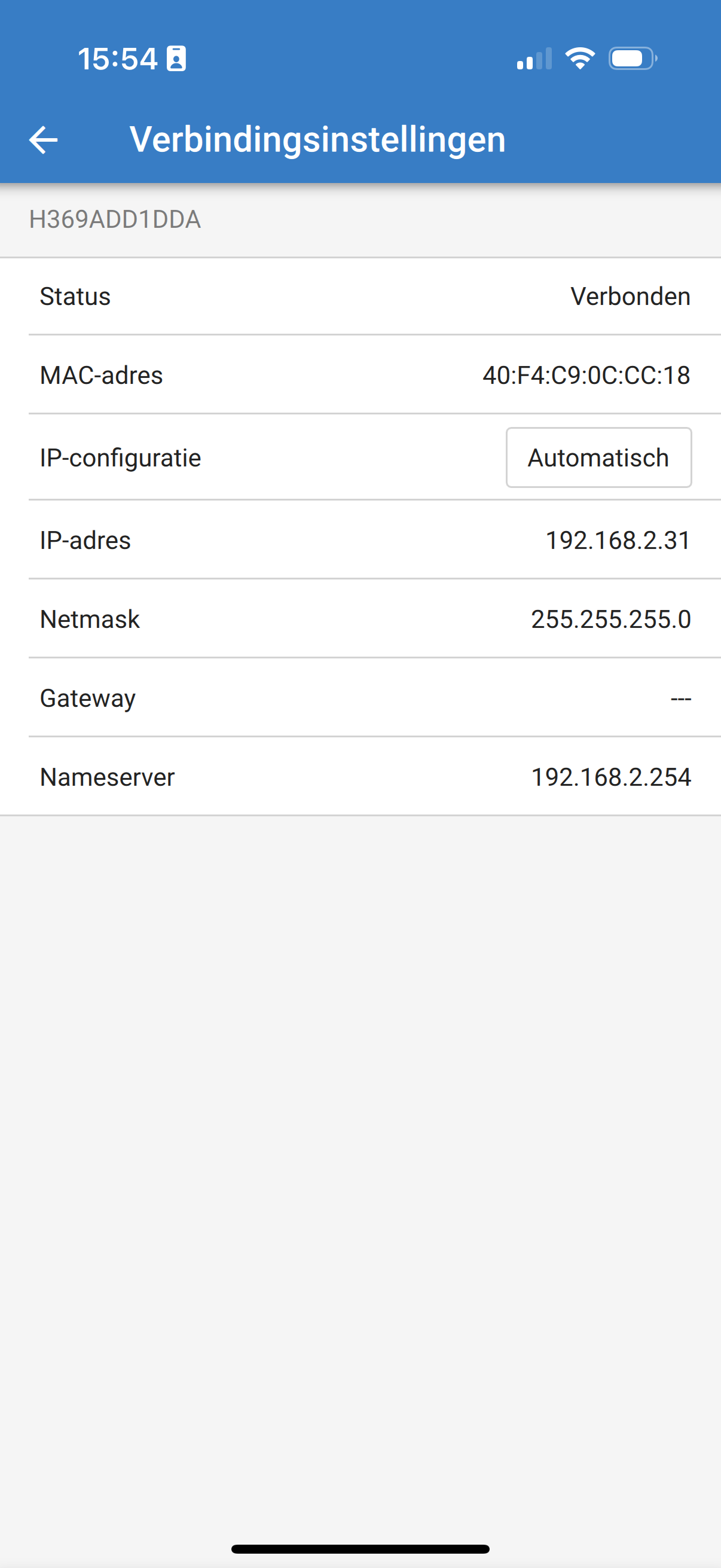
- Share the GX Wi-Fi or Ethernet settings, so we can compare IP addresses.
- Try using the “Check” button in EVCS General → GX device settings and let us know the result.
Thanks in advance!
Do you need further information?
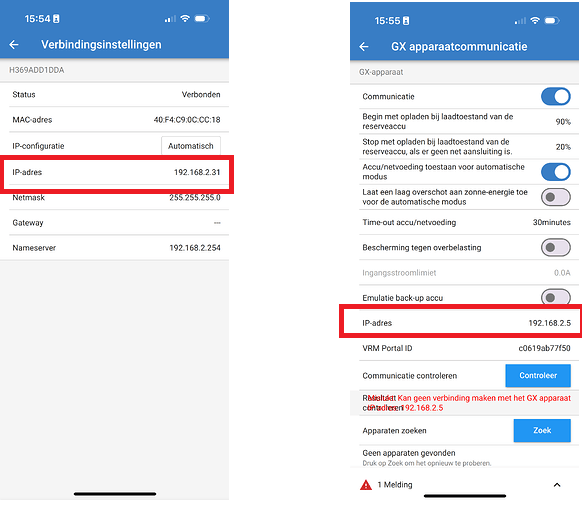
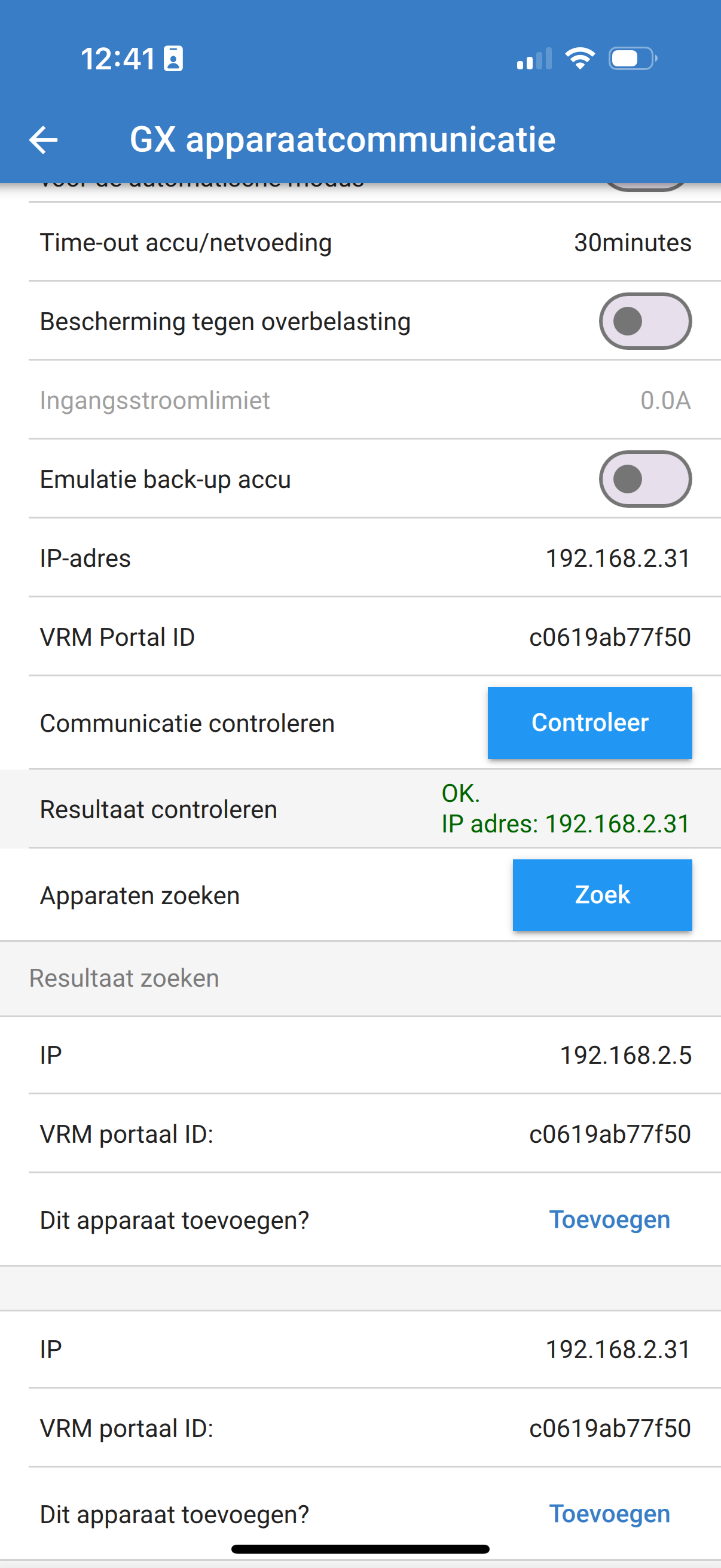

I think now you need to activate it in the settings of the GX device
Settings → Modbus TCP devices → discovered devices
Yes it works, thanks so much Matthias.
Only now, during charging, no Amps are shown..
Tomorrow I wil continue the quest. Now Tour de France
Sander