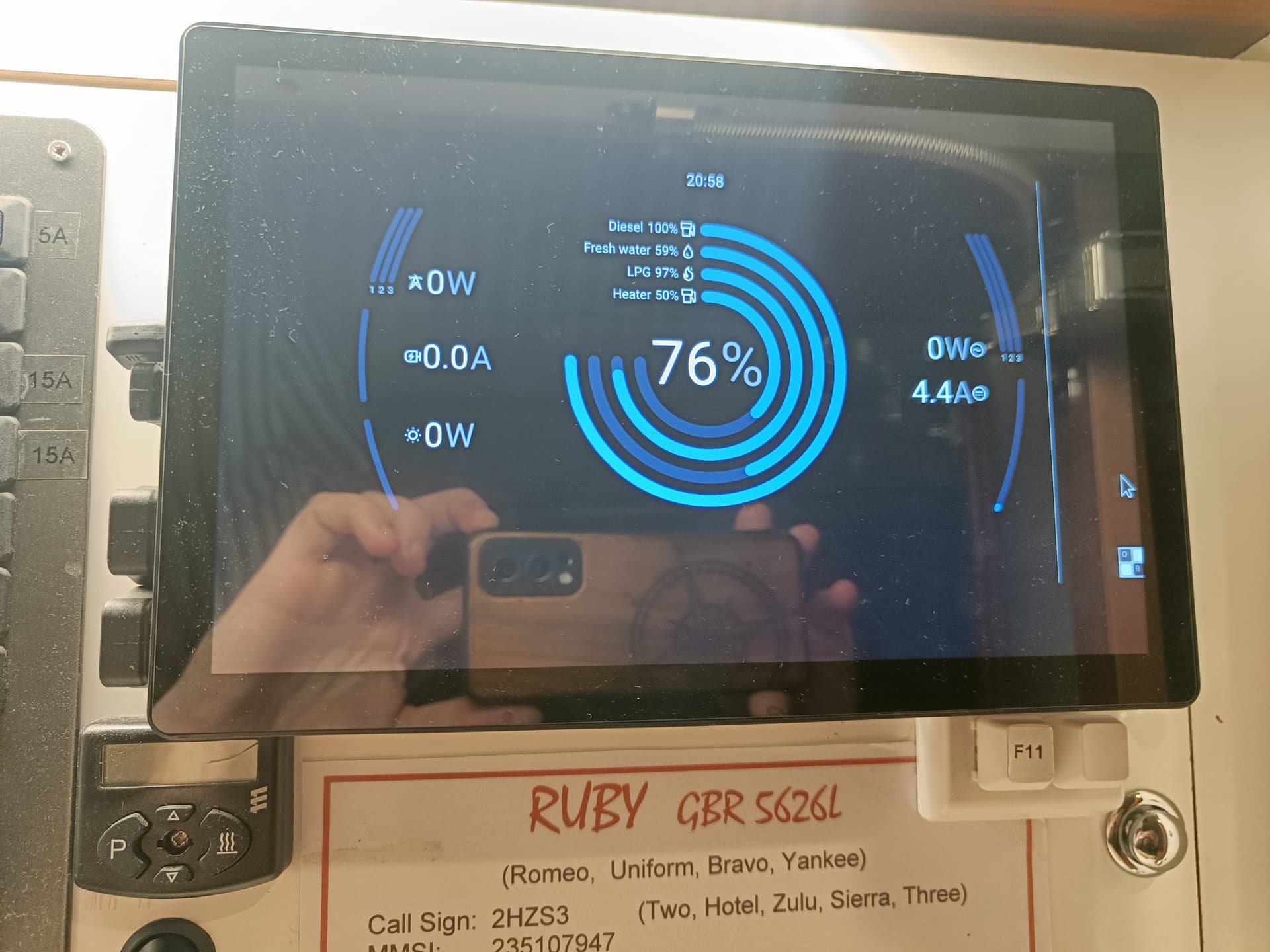
@mpvader Just noticed some unexpected behaviour, we view the vrm through networked pi. Chrome is is dark mode, as is the Cerbo. Cerbo is set to follow dark display mode.
But the other wrapper is using light grey, inherited from body. Ideas?

So I set the overall theme colour in Budgie theme and it fixed the issue (but it should be respecting its own selection).
I did, however, occasionally get a vertical white line down the right hand side of the screen, workaround is setting to 90% zoom in chrome..
Hello,
on my side with the Ekrano device updated to V3.70~5, even if the physical screen follow the DARK or Light setup display mode,
on the VRM, Browser or Android dedicated GX Wifi Display, the screen mode remain still in light mode…
But now the frame look like the GX display device…
Same behaviour with the Cerbo GX MK II Device. (Not tested on Venus GX)
Xabi.
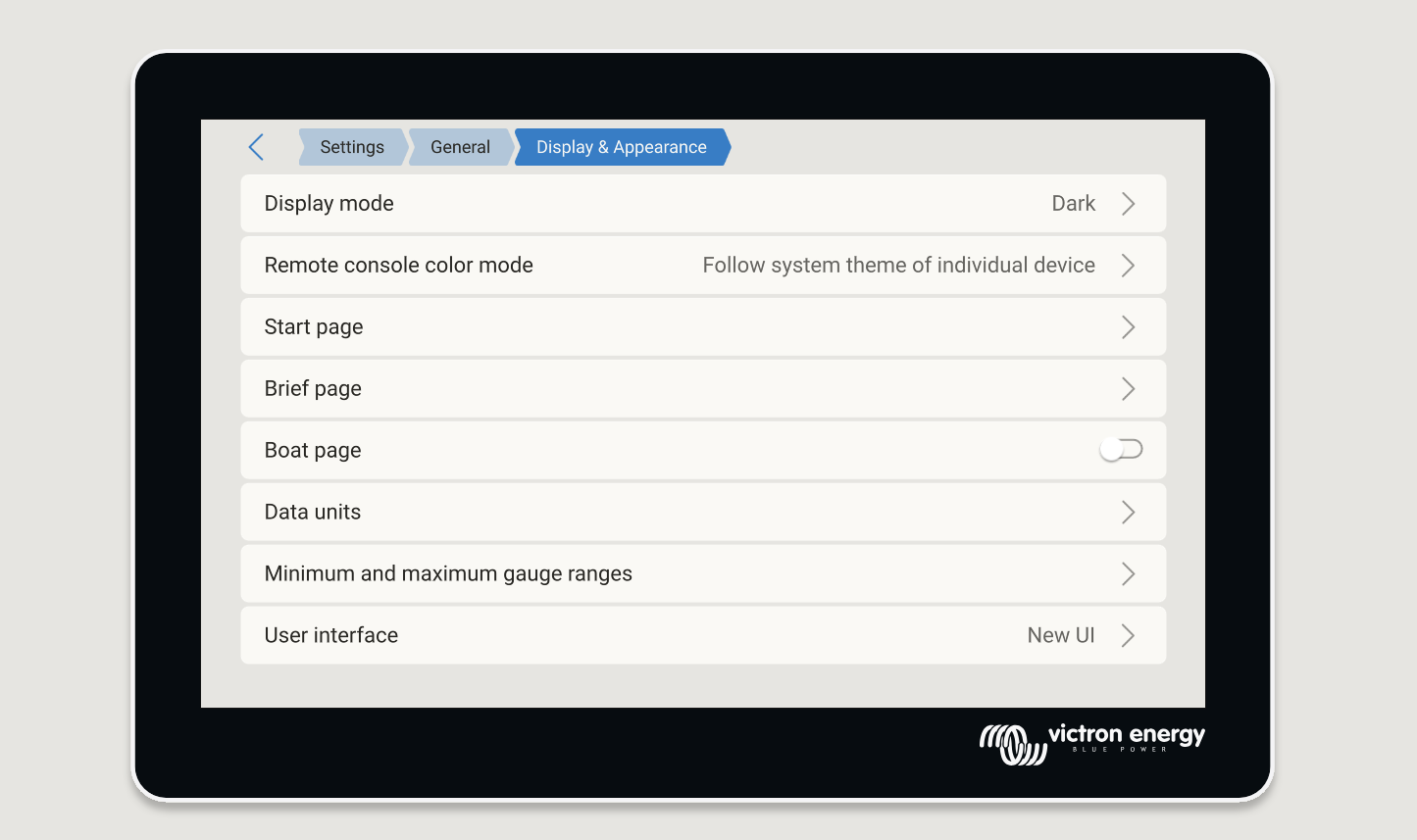
There is a new setting for dark & light. So now there are two:
Display mode [dark / light] determines color on the display directly onto or connected to the GX. Ie. GX Touch or Ekrano GX.
Remote console color mode is the other one.
We’ll soon reword those entries to be more clear
Hi,
I just read ALL the realease change log 
My first read was not complete !
Noticed the fact that the web version take the cmputer / web browser settings…SO as well with the Android GX display …
Xabi
Just build from github for my Raspberry and “Remote Console appearance” shows “unknown” instead of the option to switch.
I can however switch the WASM browser colours with the “GX Display appearance” option?
Note that it defaults to dark contents on a light coloured background around the dark WASM body. I can only get rid of the light background by editing index.html directly. I assume that this would be fixed if I could select “Remote Console appearance”.