Good evening everyone. I have a problem with my gerbo gx. After the last update, I get this message in the photo. The data is very slow. The message says real time connection disabled due to gx device overload.Does anyone know how I can overcome this?
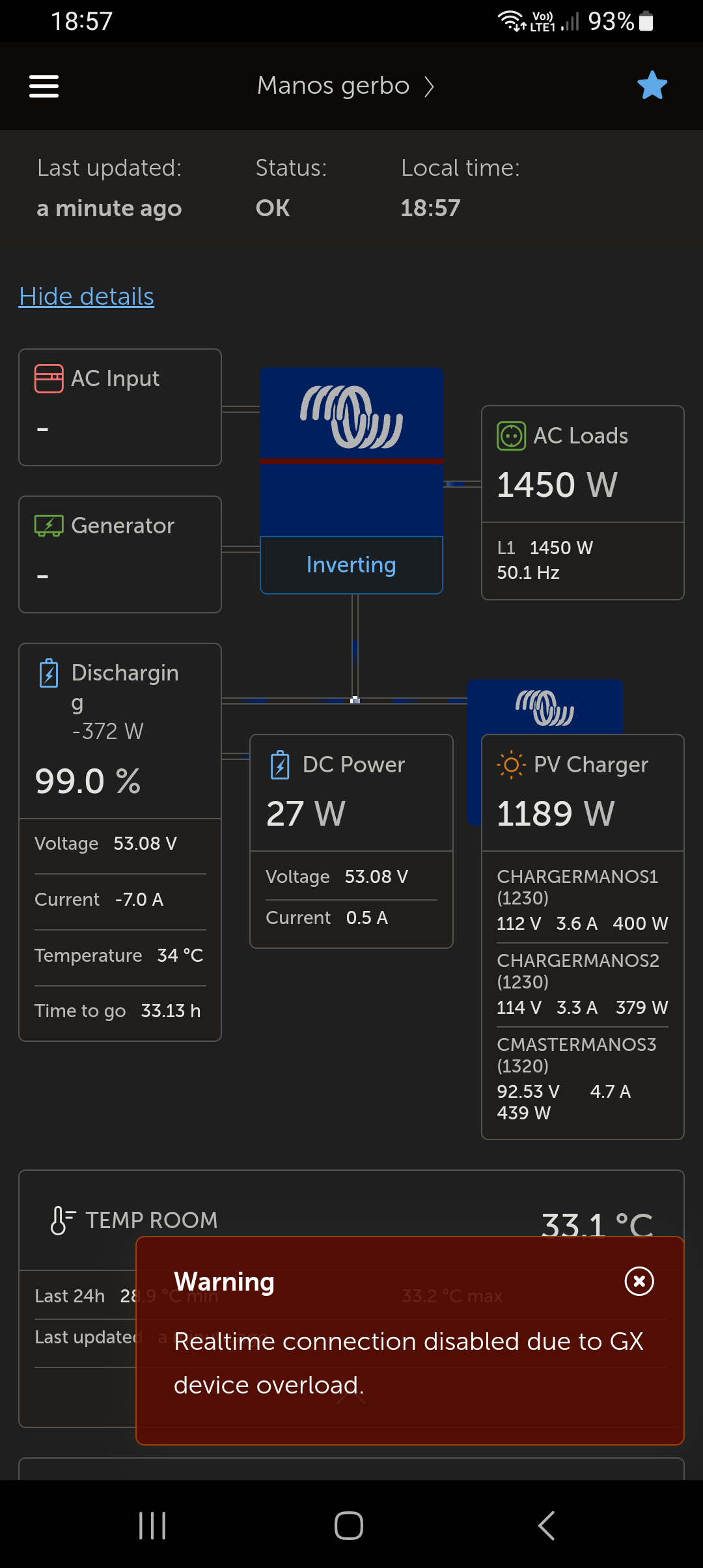
This might be due to a script, GUI mod or some inefficient NodeRED flow.
This is with the latest official release or the latest Beta?
Yes, my friend, it happened today.The beta works well and has continuous data.
Overloads that aren’t transient, ie immediately after a reboot or update, are only a result of customisation and modification, nodered, shelley etc being common culprits.

Well, this statement is nonsense!, I’m having the same issue and have no: mods, shelley, nodered - simple Victron install with two Multiplus units in split mode, 24 volt 800AH system, four 250/100 solar chargers, 1000 Amp shunt, GX-Cerbo - vanilla Victron only system
Cerbo too busy can be seen after an upgrade on first boot. Where it happens in normal ops is indicative of load on the device, for some reason.
You can ssh into it and use top to see what might be consuming processing time.
There have been some strange behaviours where a factory reinstall, as documented in the manual, has helped deal with anomalies.
If using the large image, disable signal K.
You can check the dbus message time of the GX as well from VRM advanced widgets, this also is a barometer of load.
And you would be surprised how many topics state “no mods” but somehow, magically there are. That is why the new mod detection menu item was created.
We can’t see the detail over the internet, but that message is indicative of a local issue.
Nick, thanks for the information, I know nothing about using programs that would connect to the Cerbo can you be more specific about the program you would use for the SSH client? and what is TOP?
I never modified anything or added anything directly to my GX to the best of my knowledge, are you saying that the GX can get corrupted and need to have a factory reset to resolve this issue?
I rolled back the v3.64 firmware update to the v 3.42 version and now the unit updates every few seconds but will not allow the Realtime connection, the message stated that Realtime was disabled, is that at the VRM end or the GX end? if at the VRM end how can I re-enable it? Also you talk about the new mod detection menu, if I reload the v3.64 firmware that will allow me to see if the GX thinks their are mods on it and if it shows their are how do I get rid of them? I have never even considered adding or modifying anything on this GX, all I have ever done is used it to connect to the VRM to monitor my system! This is very frustrating as this only started happening when the v3.64 firmware was loaded onto it! - hope you can help me get back to a working system the simplest way possible - if that means I need to do a factory reset then fine as if there are mods somehow loaded on it they need to go anyways because I didn’t install them and don’t want them running on it!
Hi Walt, just a tad occupied at the moment. I will send some pointers in due course, assuming none of the other regulars beat me to it.
In VRM, when you are on your installation dashboard, menu > settings > general and toggle on Realtime updates.