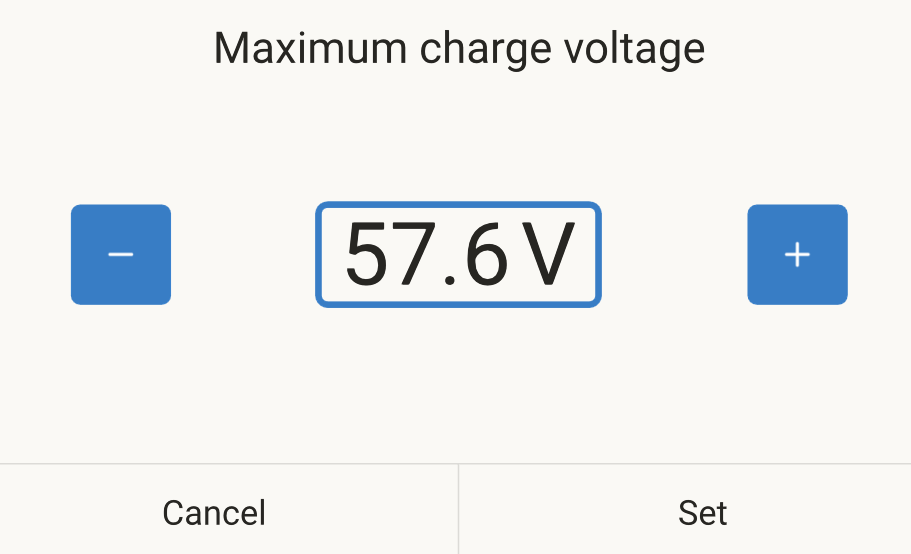
Hello!
With the new version Venus OS 3.63 in the dvcc section of the maximum charging voltage no longer allows setting a decimal value. It is rounded to an integer. The problem persists in the latest beta version v3.70~13
hi, can you share a screenshot or photo?
I can’t reproduce that.
I can also reproduce this, it’s only applicable to the new interface.
I have reproduced this defaulting to no decimals using remote console on a phone but when using the Touch 50 it works properly. Both gui2.
On the classic UI everything works perfectly. The problem is only on the New UI.
Hi all, noted - thanks. We’ll fix this urgently
I tried in the classic ui and it worked and after setting it to a decimal not 0 I can also use decimals in the new interface. But when I set a decimal of 0 I can’t set another decimal afterwards in the new interface.
I have the same issue in the Battery Bank settings for the Lynx Shunt also. Setting charged voltage is rounded to an integer, the same for tail current.
Version 3.70 ~ 15 installed
RS Multi, single phase
Bug: in VRM / Remote Console / System Setup / Charge Control / Maximum Charge Voltage
the possibility to increment or decrease the voltage by 0.1V or fractional voltage is completely ignored when saved. If you set it to 54,8V when you hit save, it saves as 55V. If you set 54,4V it saves as 54V. Looks like Cerbo is rounding up the numbers and the ability to adjust the voltage with precision is ignored
Thank you!
Welcome to community @dorin and thanks for the report!
Noted. Will be fixed urgently
Hello everyone,
i updated from version V3.60 to version V3.63. In version V3.63, the maximum charge voltage setting in the DVCC menu is rounded to whole volts. 100mV increments can no longer be set. The same problem still exists with version 3.70-15.
Regards, David
Hey all,
this has been fixed per v3.70~19 - please test and confirm?
thanks!
I have tested now and everything is ok in version v3.70~19. Thank you!
Good catch !
I’m using this option a lot in my latest Node Red flow but hadn’t noticed this yet.
For those who wonder: you can set the DVCC CVL in the GUI (v1 and v2) and in GUIv1 it will show you the value you entered (eg 55.2V).
Under the hood though, the system rounds this value and works with the rounded value (55V in this case).
In GUIv2 it will show the rounded value that’s being used by the system.
If you set the DVCC_CVL value from somewhere else (eg Node Red), the rounding does not occur.
Hi @BartChampagne I moved your post to the thread about it.
Note that you wrote :
But that is not what happend. The number you see in all the UIs is the number that the system works with.
Summary:
- per v3.70~19 beta the issue is fixed
- v3.63 still has the issue, v3.64 will fix it and be available soon (weeks) . And work around is to use the Classic UI instead. Or New UI on the physical displays. The bug only affects New UI and then when operated in a browser.
I can confirm this is fixed in 3.70~19
I stand corrected and obviously made a mistake in my analysis.
My apologies !
In the DVCC settings, I want to configure the value of 57.6V for my Voltsmile V10 batteries (CAN BMS controlled). When selecting this number and committing with ‘set’, the actual voltage is rounded up till 58.0V. This is too high.
It turns out that all voltages from 57.1…57.4 are rounded to 57.0, and 57.5…57.9 till 58.0V.
This rounding was not there in the past. I am using a new Cerbo GX with software version OS 3.63.
How to disable this rounding and be able to configure this value correctly?