[Setting Up] Connecting Ekrano GX with Multi RS Solar

Hello Everyone,

i might have a Brain Fart stuck anywhere and i hope you can help me.

So i got myself an Multi RS Solar as well as an Ekrano GX to Monitor and controll the whole thing.

As a Battery i got a NKon ESS Pro 16.1.

All “new” and currently in the Setup-Phase

Connection is as follows:

NKon connected via Delivered Cable to Multi RS Solar. (Protocol set to Victron.Can)

Multi RS Solar connected via standard Network Cable to Ekrano GX V.Can 1/1

Terminator Connected to Ekrano GX V.Can 1/2

Ekrano GX connected via Ethernet to Switch –> Internet.

VRM Connection was Easy.

What is not working is the Ekrano seeing the Multi RS Solar . . .

What did i do wrong? Do i need a special Cable (as mentioned used standard ethernet cables)

Thanks for your time and help!

I think that the battery should be connected to the Ekrano, not the RS-Solar.

Then use the CAN port of the RS-solar to connect to the Ekrano, on the other CAN bus. Both will need terminating.

Thanks for the Input.
Did that and now i do see the RS.
Battery sadly not. BMS does not want to talk to the Ekrano

On the go

Found this battery uses this BMS:

but neither is in the approved list:

However, if you can make sure that the right pins are used to connect the data to the ekrano - NOT using a straight UTP lead,then you may be able to get some data about the battery.Manufacturer claims Victron compatibility, so should be a wiring / configuration issue. Otherwise if the BMS also has dry contact relay ouputs, then these can also be used to prevent overcharging and discharging conditions.

Looks like some sort of Wire or Protocol issue:

At the moment it is connected using a "standard” RJ45 Network Cable.

Typically that won’t work.

see: VE.Can to CAN-bus BMS cables manual

In the Battery Manual it is written: Generally, you can use a regular network cable for communication.。

I was hoping to not need a VE.Can to CAN Cable.

VE CAN to VE can are straight UTP. to connect a typical BMS to VE-CAN a special cable is usually needed.

However, it’s worth trying both 250k and 500k data rates first. If you battery is set to VE-CAN (5) then the data rate is likely to be 250k. Don’t forget to put in the CAN bus terminator at at least 1 end.
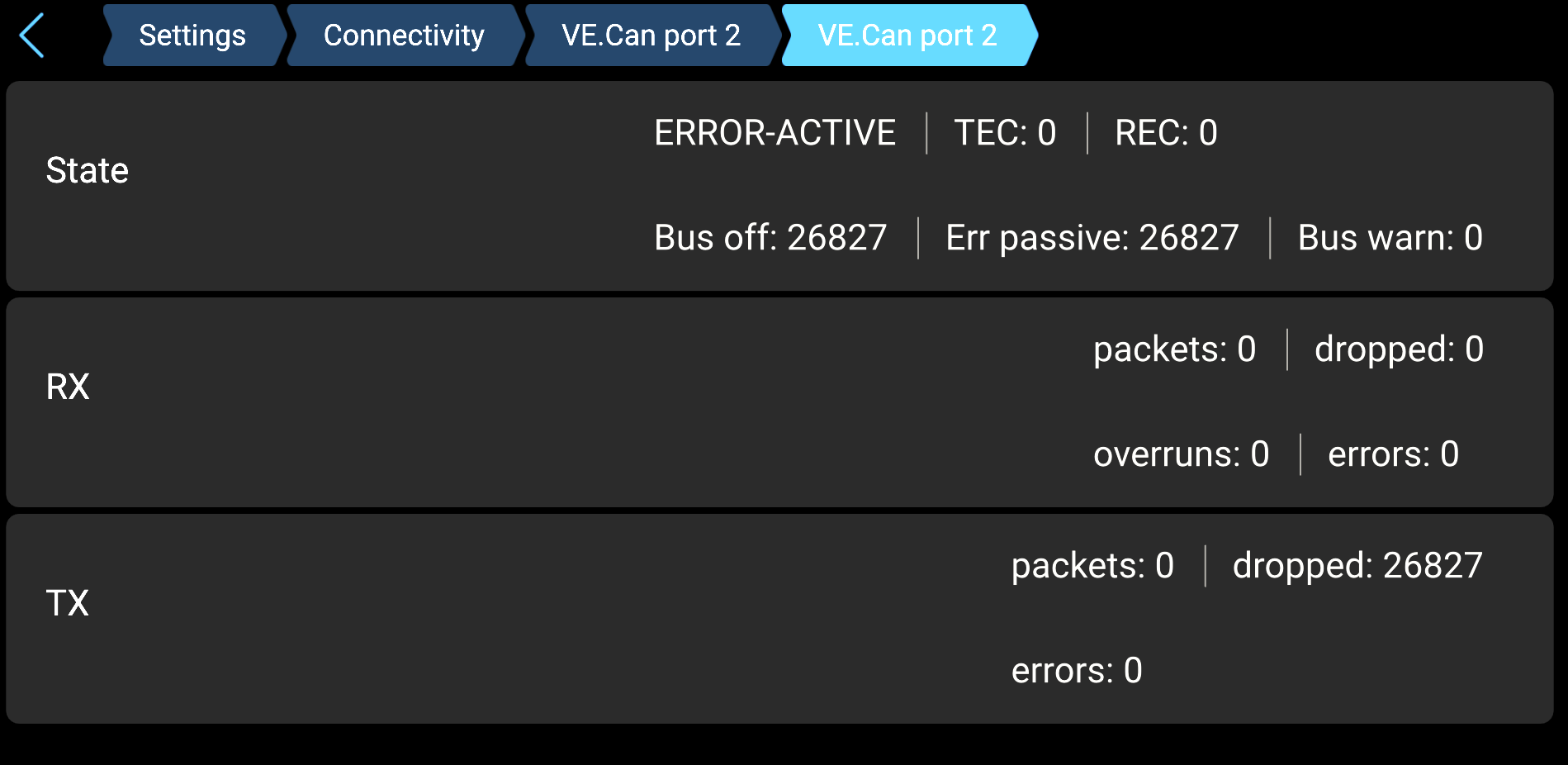
It is setup like that:

Straight Connection Cable.

Terminated at the Ekrano. Set to Victron_Can in the Battery.

Will wait for the cable an check again Tuesday

In the CAN setup on the erkano, you can choose either 250k or 500k data rate, did you try both?

These are my Options:

And since i set the Protocol to Victron_Can i did not try anything else yet.

It is working now!

BMS LV on the Port as well as the Type A Cable was needed.