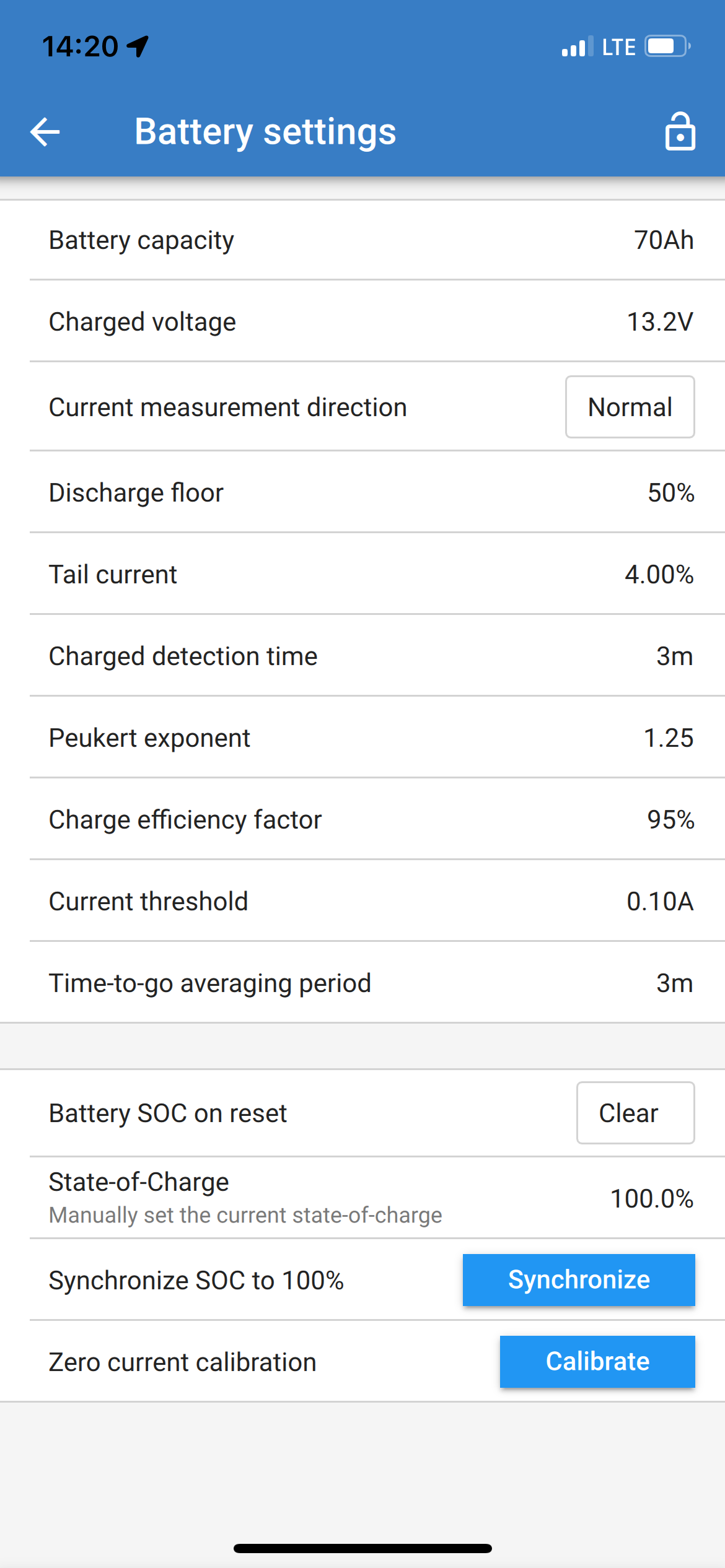
Followup: The battery specs for my Interstate 24M-AGM-A battery lists its capacity as “N/A”. However, on the side of the battery is printed “70AH/140 RC”. So what do I set for Battery settings > Battery capacity? 70?
Please note that the setting “Battery starts synchronized” referred to in these FAQs is not present in the latest edition of the control software on my phone.
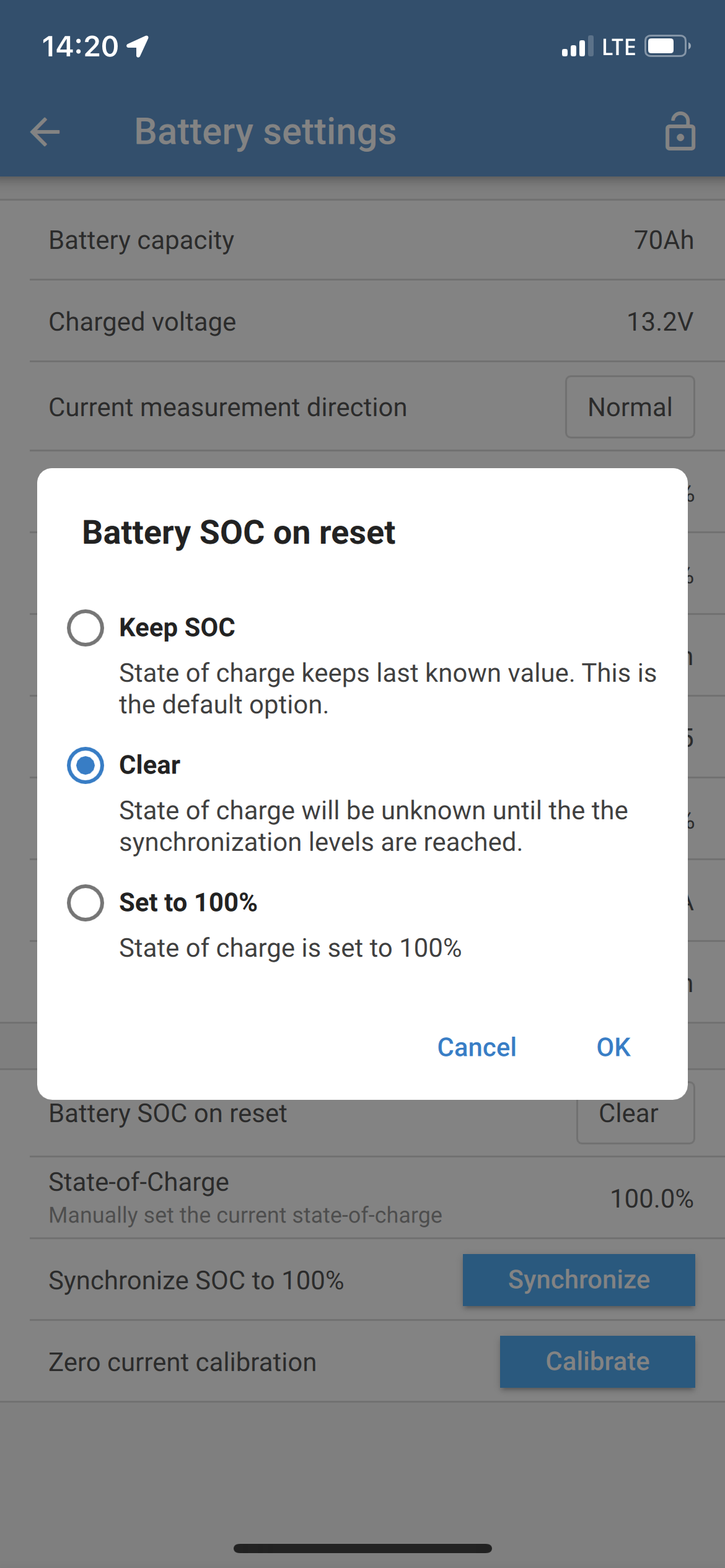
That setting has been replaced by “Battery SoC on reset”. It is this setting for which I need a better explanation and a recommendation.
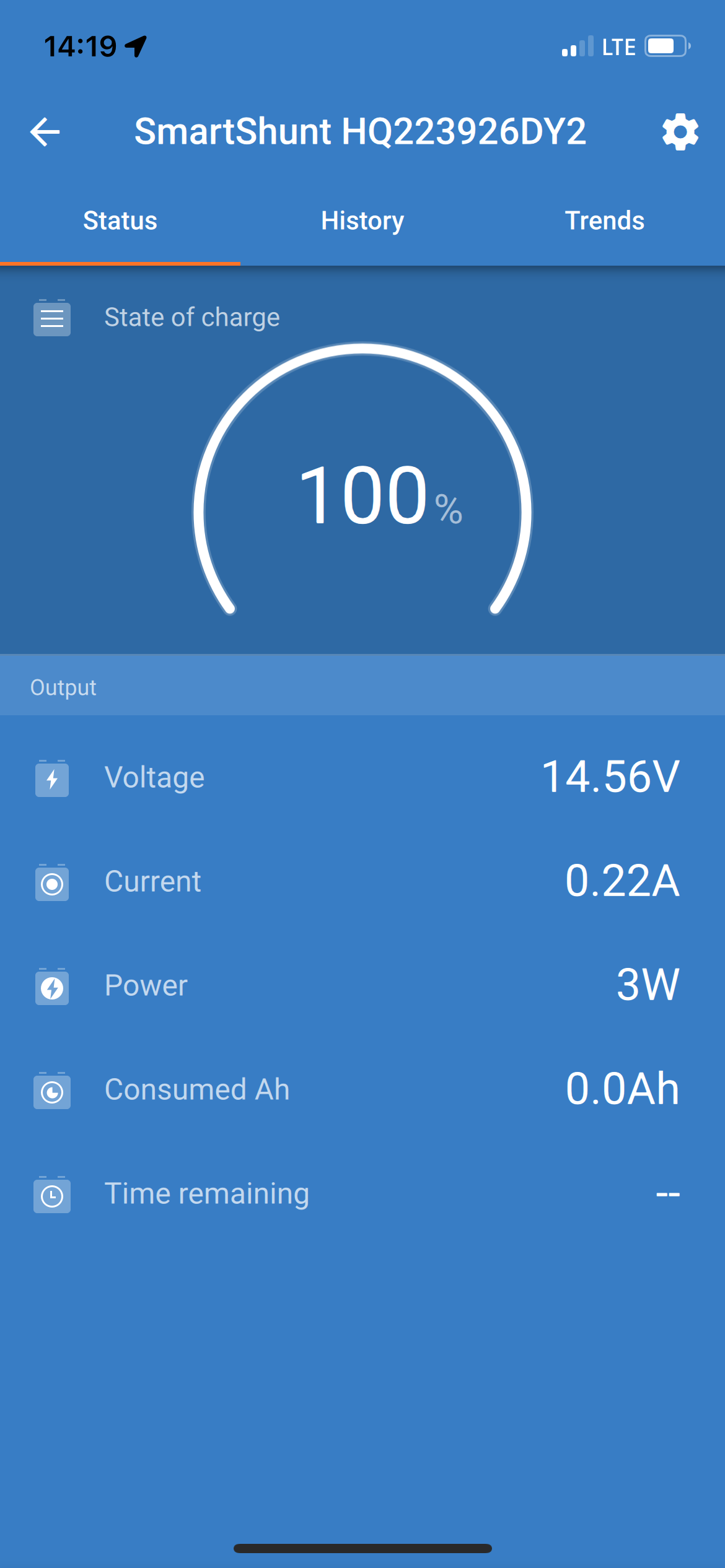
The displayed voltage is 14.56v this is way above the Charged Voltage so if Tail Current and Detection Time are also met then the shunt will think the battery are at 100%.
With a current of 0.22A and the voltage being 14.56V if it’s been running for more than 3mins it will register 100%
Try 14.4v as the charged voltage, 2% as the tail current and see how you get on.
It’s a delicate balancing game to get these 3 values right.
The name of that setting might be different but it still does the same.
If the shunt gets disconnected from power it will set the SOC to 100%, to unknown (recommended) or saves the SOC.
I tried applying your advice: I set the Charged Voltage to 14.4, set the Tail Current to 2%, then charged the batteries up to 100%.
Unfortunately this did not make a difference. This is what I see now on the battery (I have two identical batteries, each with its own shunt). One battery shows “99.8 %” , the other “100%”.
I have cheap bluetooth monitor connected to each battery. These have been accurate since I installed them. The Victron shunts are intended to replace these monitors.
After a period of discharge, these monitors indicate a drop in SoC from fully charged. Typically up to 20% (one of the reasons I have installed the shunts Is to find current leaks.)
My charger is a Pro Mariner ProNauticP. I believe it was working properly before I installed the shunts. But I see your point regarding the possibility of it generating a less-than-full charge. I will look at its settings again.
Charged voltage needs to be 0.2V lower than the voltage you charge at.
The synchronisation MUST occur before your charger goes to float. Increasing the charged detection time makes this less likely.
You should have history in the VictronConnect app to see what the current is when the charger goes to float and how long you have above the charged voltage. Use these as a guide.
The trick is to make it easy to synchronise and then tighten it up. Set charged detection time to 1 minute and tail current to 4%. Then try increasing detection time and reducing tail current.