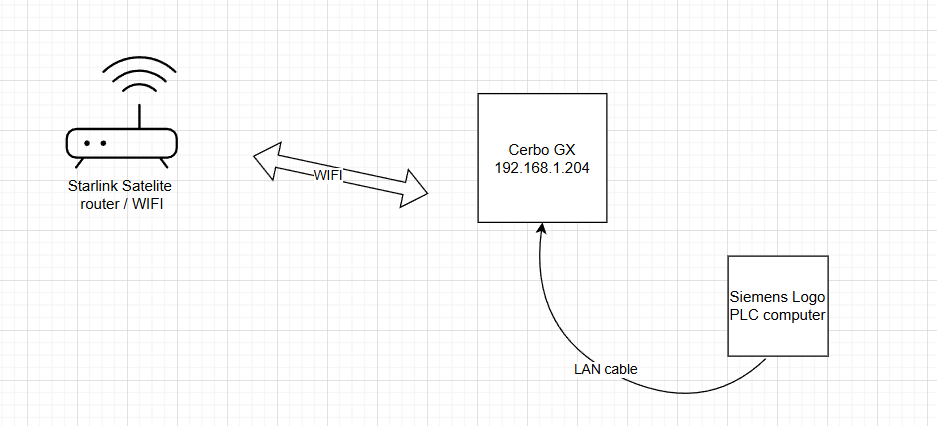
I’m trying to use my Cerbo GX (v3.66, new GUI) as a small LAN gateway for my Siemens LOGO PLC.
My Starlink router has no LAN port (only WiFi).
The Cerbo is connected as a WiFi client to Starlink (so the Cerbo itself has internet).
I would like to use the Cerbo LAN port to create a local subnet (192.168.250.xxx) where my Siemens LOGO and a laptop can get DHCP addresses.
I read that in previous Cerbo GX firmware there was a setting Ethernet Function → LAN (hosted), but in the new GUI I can’t find it.
In the current menus (GUI v2) I only see “IP config: Automatic / Manual”.
My goal:
Cerbo stays online via Starlink WiFi (WAN), and at the same time the LOGO PLC gets an IP from the Cerbo on the LAN port, so I can reach it locally.
A router function or even multiple IP levels do not work with the GX . Maybe the little OctoGX has this Feature …
Why do you want or need to access the Siemens LOGO via the Internet?
 My goal: