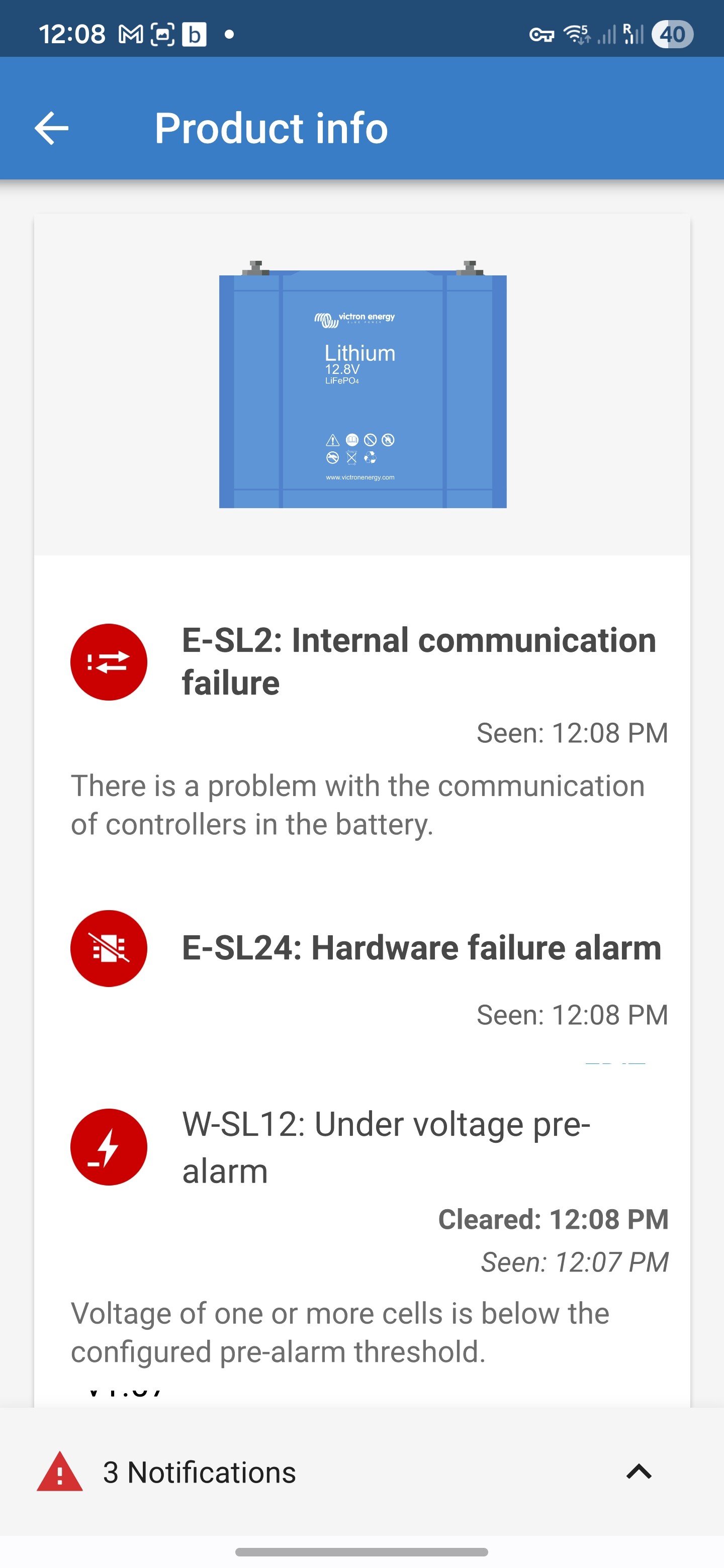
Hello community, I have the following system on my new RV (under 1000 miles)
2x12.8v/100Ah Victron Litium Batteries;
Victron Multiplus compact 12v with integrated mains detector;
Victron Battery guard BP 100;
Victron VE.BUS BMS 10R - 05 4003;
Victron Blue Smart 12 | 17 charger.
Unfortunately last week when I was away, without being connected to 230v, the Multiplus went into prealarm then alarm and has now cut all power to the habitation area.
I have now connected to 230v and installed the Victon Connect App. The App has connected vi
a BT to the Charger and has confirmed the batteries are charged. However, the Multiplus remains in alarm and as such no power to the habitation area.
I have been through the process of turning off the Multiplus and isolating from both AC and DC and then rebooting without any success.
Any help in understanding how to resolve this problem would be very much appreciated.
It seems like there is a red LED at the BMS.
Try to connect to the batteries with the VictronConnect app.
What do you mean by that?
With the MultiPlus Compact you need to install the mains detector from the BMS.
Is the MultiPlus correctly configured to work with the BMS?
It’s not clear in the picture:
If I remember correctly you need to set the DIP switches to 1-ON and 2-OFF.
Should be in the manual somewhere and VE.config also tells you that.
Is at the fuse and - is behind the fuse.
You can also follow the red and black wires to find a place where you can measure better.
Sorry Matthias, just copied it from the Niesmann+Bischoff user manual. If tried to connect to the batteries via the App but it times out at 20% I can access the Charger which shows:
That voltage is too high!
Check the settings of the charger and set it to the lithium preset.
At 20% the PIN pop-up should appear.
With some older phones you have to pull down the notification bar and there is a notification about the PIN request.
Also look in the troubleshooting section of the VictronConnect manual.
One reason for the charger voltage being too high is that the batteries have disconnected through overcharge. Start by reducing the max voltage to 14V, then it can be increased to just below the battery maximum once the system is up again.
According to the schematic it seems like the charger is connected to the starter battery.
In that case the voltage is ok-isch but also a bit too high for a normal starter battery.
I would set it to 14,4V.
Thanks for all your help Matthias but we have far exceeded my knowledge and understanding of the subject and I don’t want to risk me causing more damage. We will just have to cancel our New Year’s break and transfer the vehicle to the dealership when it opens on 5 January 2026. Once again thanks for taking the time to try and help me. Kevin