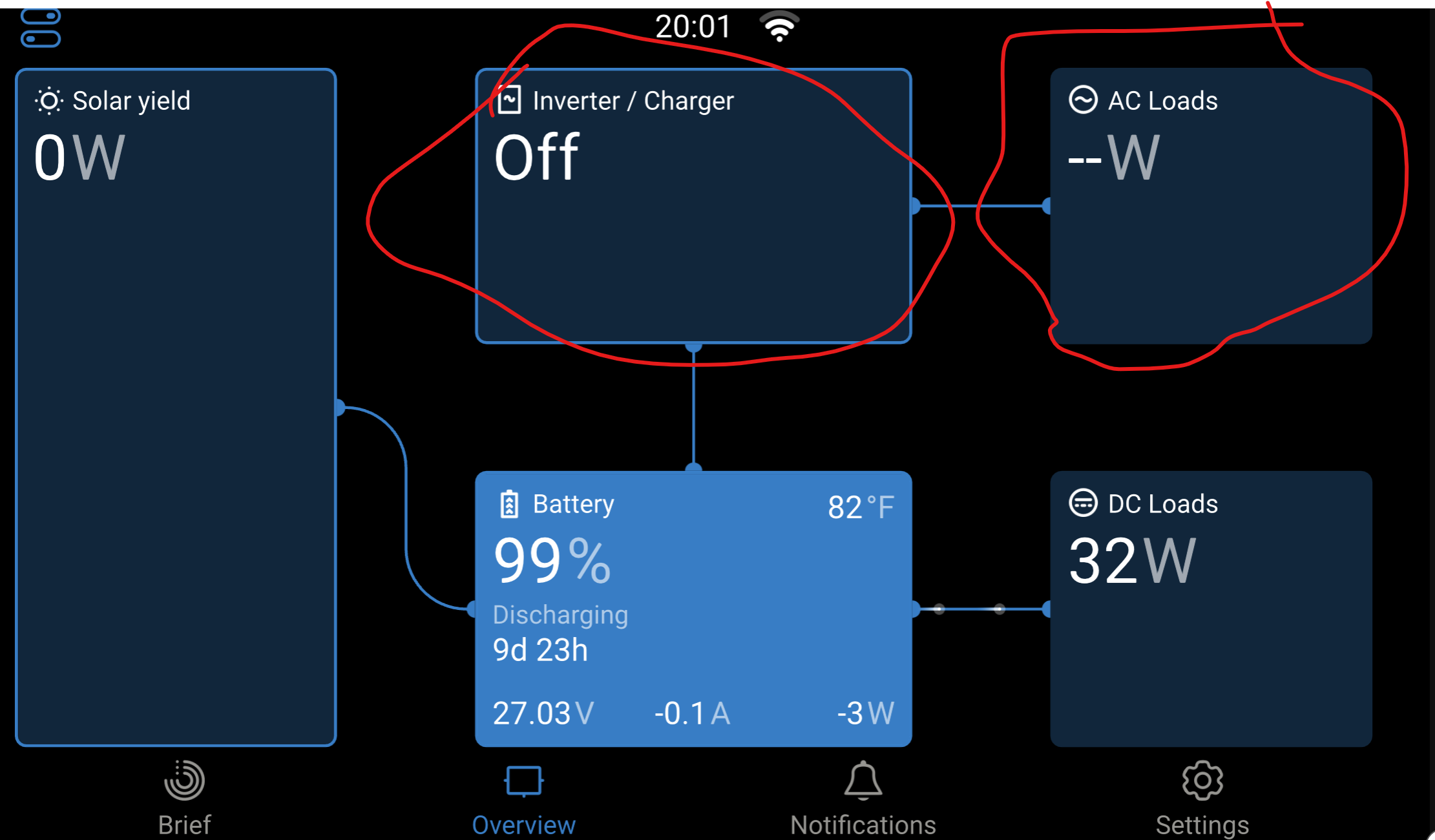
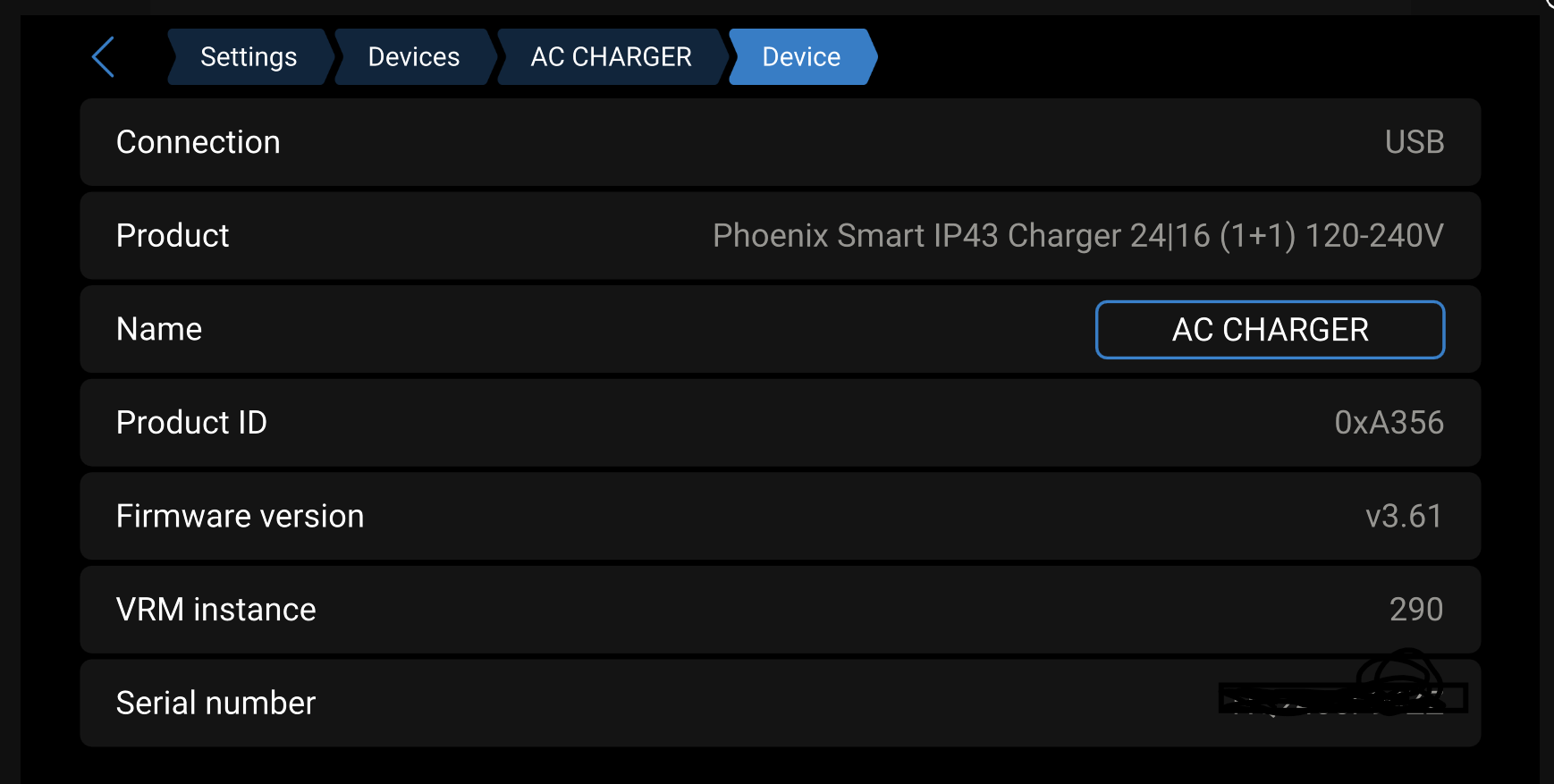
Can anyone explain to me way my Smart ip43 does not show up in the overview screen on my Cerbo GX. I used to have a Multiples inverter charge that shoed its data including AC input state of charger. The unit shows up in devices and seems to work properly. I understand way it does not show AC loads because its not an inverter, but when it is plugged in way does it not show AC input data and when its in bulk or what ever mode it in it does not shoe any data on the screen just shows off.
Hi
I have exactly the same issue, with the same charger, hope to get a answer on this
//Clas
Unfortunately Victron does not support this. They could, as it’s all available on the DBUS, however they have determined it is not a business priority.
I am also wanting this and would even be willing to start a GoFundMe for it, to help cover their devs time. I would seed it with $200 USD.
Either of you willing to contribute? If so I might actually set it up and see how far we get, and see if I we can make it worth Victron’s while to implement.
Hhmm, I will sit in boat and wait for an update, hopefully one day.
//Clas
Hi,
I have the same problem, or rather I call it a bug from Victron. Victron Energy, please put some effort into connecting these important things. It is not logical that it is not connected.
Best regards.
Also in the same boat here, Victron please fix this issue
The system is architected around a vebus inverter.
The ip43 is a dc charger that is vedirect, not vebus.
It’s unlikely to accommodate this device in that position.
It would take a fair amount of work and we would have no visibility into that roadmap, you are welcome to log a feature request but it certainly isn’t a bug. It is by design.
With the amount of mobile installations, it is unlikely that victron aren’t considering improvements to suit those use cases.
From your reply, I deduce that Victron may indeed be looking in to sorting this, with a view to adapting the graphical interface to include details related to mobile DC users such as (in my own case) boats. Having invested a considerable amount of money in Victron kit, this would be a welcome upgrade, which, I’m still rather surprised isn’t an integral feature already.
My experience is that AC/DC standalone chargers are generally neglected by Victron. I have the Skylla IP65 charger on my boat, and while I can view it on the Cerbo screen and turn it on or off, its loads are not really integrated in to the rest of the display.
Also it doesnt support DVCC and although the Charger is in BMS controlled mode, the Cerbo cannot send a Stop Charging signal over the VA.CAN, and this must be connected by a separate wire.
So my point is that apart from GUI and monitoring issues that you list here, there are many other features and functions that Victron has simply ignored for all of their AC/DC chargers.
The point about the IP43 being ve.direct only and not ve.can is moot as the Orion XS and MPPTs I have are all ve.direct and they are fully supported, so no reason the IP43 cant be.
Alex
I also have the same issue and am quite disappointed that the menu does not allow for tiles that represent the actual equipment connected. Now there could be a valid argument that “non Victron kit” should not be able to be visible, but even that is a mute point. For me, the disappointment is more that the Victron kit I have purchased does not work as expected in its entirety, and this would be a very easy fix and a big win for Victron. Why on earth would a company manufacture and sell a peace of kit, that is capable of being shown on a tile, but is not enabled due to a laps in basic coding? What Victron don’t seem to understand is that customers have a wide variety of needs in today’s mobile world, and certain RV’s and Boat’s now have very complicated electrical systems. For my situation, I have limited space in the engine room of my Motor Cruiser, and the electrical systems already have Shore power and a dedicated variable 110 to 240V supply. Putting an inverter in place is not an option, so to be able to monitor and charge by “solar and DC power” the 3 batteries in place, means using a smart IP43 charger (3), but then it’s impossible to see the charge state on the overview tile, which (in my view) is a short-sight in coding. I also have a Solar MPPT 75/15 connected via VE.Connect “which is visible” on the overview tile!
This needs a firmware fix for all those loyal customers who don’t own a Victron Inverter.
This is brilliant kit, and I’m not knocking Victron, they are, in my opinion, far in advance of any other company that produce RV and Boating solutions, but this is definitely something they need to look at, and supply a fix for.