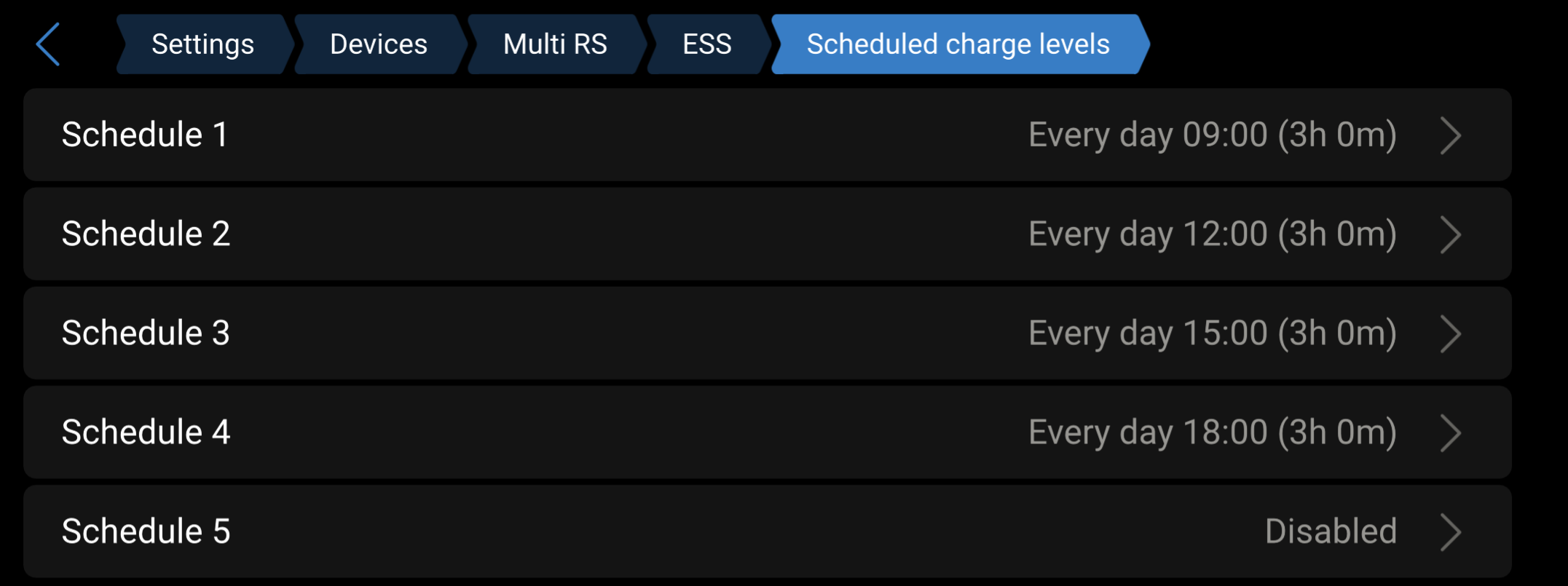
I am located in Adelaide, South Australia and have a Multi RS Solar hybrid inverter plus a 15kWh LifePo battery bank with a JK Inverter BMS. 1.5 kW of PV panels are currently connected to the Multi RS. I’m using a Raspberry Pi 4B running Venus OS ver. 3.63 to communicate with the Multi RS and BMS.
My objective is charge the battery from the grid when the tariff is at its lowest.
The battery is mainly charged by PV power and I currently top it up by manually switching on the grid during the shoulder tariff period.
My energy retailer’s shoulder time is daily between 10:00 and 15:00.
The problem is that I’m not able to program the Multi RS to charge from the grid at set times.
I’ve read several misleading articles that state the Multi RS supports “Scheduled Charging”. The Multi RS manual states that the unit only has limited ESS functionality and “Scheduled Charging” is not available on its menu. Other Victron articles explain that Scheduled Charging will only work on some Victron devices e.g. the MultiPlus via the VE.Bus port which the Multi RS does not have.
From what I’ve researched, Node Red is not supported on the Multi RS because it needs to communicate via the VE.Bus.
The Multi RS does have two Aux Inputs (“analog/digital”- 5V logic) that can start and stop grid charging by switching the AC Input relay.
Has anyone configured a Raspberry Pi to control charging times via the Aux Inputs?
Hi @rrusek,
I have the same system: Multi RS Solar 48/6000 + DIY 280Ah + inverter JK BMS, and can set a schedule in ESS.
Try to update your system to the latest stable version of VenusOS 3.64 and MultiRS to version 1.25.
Alternatively, you can use DESS, which charges your battery at the lowest price, but it will take approximately 28 days to learn the system.
My Multi RS was at V 1.25 and I have updated Venus OS to V 3.64.
However, the only ESS menu I can enter is via Victron Connect. I still cannot find any setting for scheduling in ESS in it. A screenshot of it is attached.
It will take me a while to fully setup DESS.
Is the attachment you included from DESS?
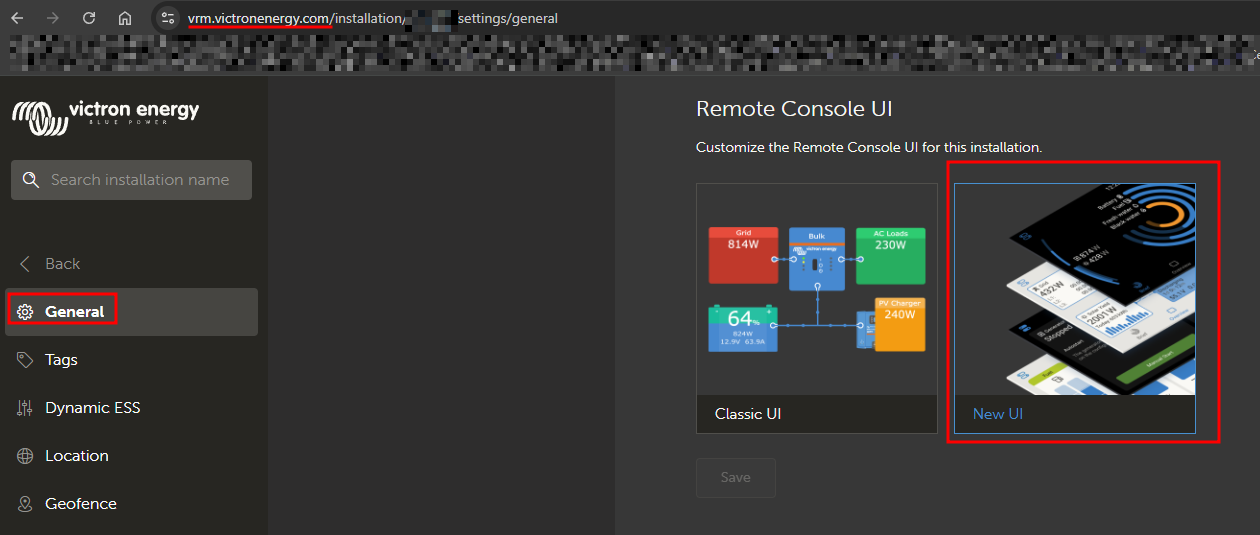
It’s not VictronConnect app, it’s the remote console Venus OS UI (GUIv2).
You can access it from the same network as Cerbo GX by URL: https://venus.local/gui-v2/
or from VRM:
login to VRM → select installation → Settings → General
Thank you for pointing out that you are using the New UI for the VRM Remote Console. I am new to Victron and had only used the Classic UI so did not recognise its format but have now switched to it.
However, I still can’t get the Sheduled charge levels menu to appear. When I enter ESS, there is a message saying that “ESS settings are available on the RS System product page”.
I have set the Multi RS to be Optimized without battery life under the ESS mode.
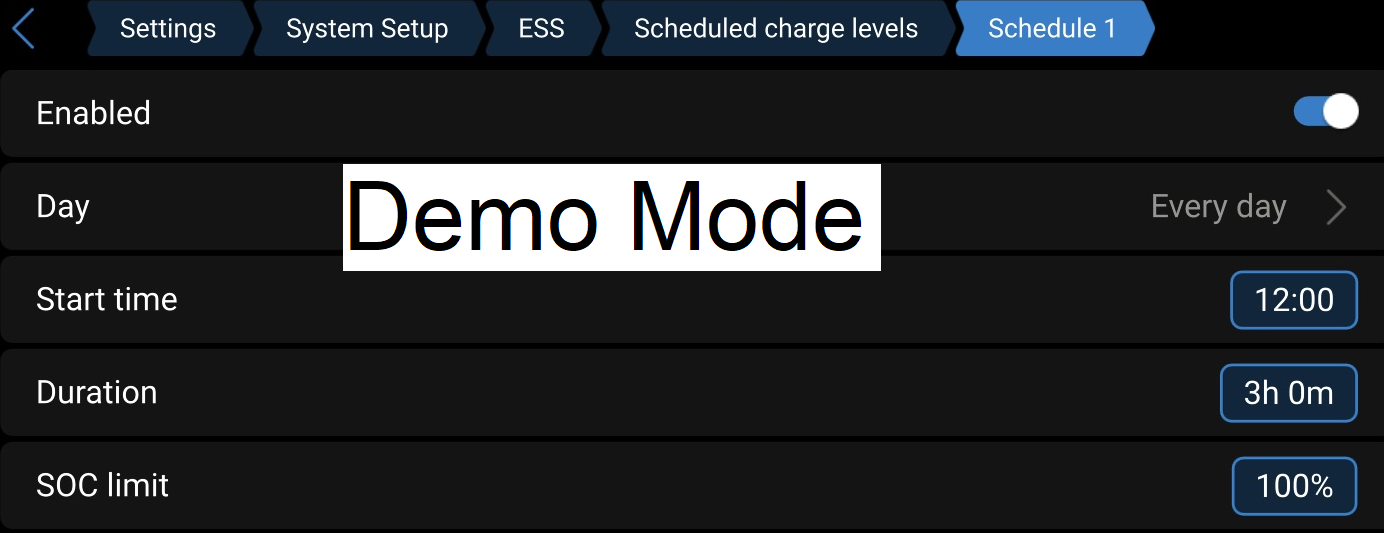
As you can access ESS on your system and the menu does show scheduled charge levels when I use the “demo mode” on mine, I probably have an incorrect setting somewhere that I need to sort out.
I have noticed that the Overview and Multi RS Solar tabs are not present on my menu.
One question still stands…
Those settings, because of the Venus OS’s breadcrumbs, are the settings of the Multi RS.
In this moment is or is not possible, for Multi RS, to set the same ESS things through VictronConnect ?
It seems not, even if the OP has 1.25 in Multi RS and 3.64 in Venus OS…
Thank you all for the advice regarding my Multi RS scheduled charging issue.
I followed the breadcrumb trail as suggested and was able to setup ESS under the Devices tab rather than System Setup.
Charging now turns on and off at the set times.
I haven’t thoroughly tested the system yet but while the battery was being charged today I did notice that the PV power was substantially reduced as soon as the grid connected. When I manually connected to the grid using the “Keep batteries charged” setting, it would supplement the available PV power. Hopefully this ESS configuration just requires some tweaking so that PV power will be utilized as much as possible.